Notifications Reappearing

I use Simplifi on 3 devices like many people do. If I open Simplifi on any one of them, the update process occurs and I'm also alerted to any new notifications. I look at them, then delete them. Then when I open Simplifi on another device the same notifications appear, and I again delete them. If I open Simplifi on the 3rd device, you guessed it, the same notifications appear and I delete them.
This is a new issue within the last 2 or 3 days.
Comments
-
Yes, I've noticed it too. I've deleted them 2-3 days in Safari web and iPhone.
Steve
Quicken Simplifi (Safari & iOS) Since 2021
Quicken Classic (MacOS) Since 2009
MS Money (1991-2009) and Dollars & Sense (1987-1991)1 -
Hello @TheReal702,
Thanks for reaching out! I have not noticed this behavior myself from our side, but to better assist us, can you provide screenshots showing the notifications appearing on a second device after removing them on the first device?
-Coach Jon
-Coach Jon
0 -
I’ll give it a whirl next time it happens, probably tomorrow. thanks!
1 -
Yes, I'll check too. It was like I got everyone from this week again yesterday. I just kept deleting. I figured sooner or later, they would go away. 😀
Steve
Quicken Simplifi (Safari & iOS) Since 2021
Quicken Classic (MacOS) Since 2009
MS Money (1991-2009) and Dollars & Sense (1987-1991)2 -
This screen shot is from my iPad. These notifications were deleted from the web app, yet showed up on my iPad even though they had been deleted.
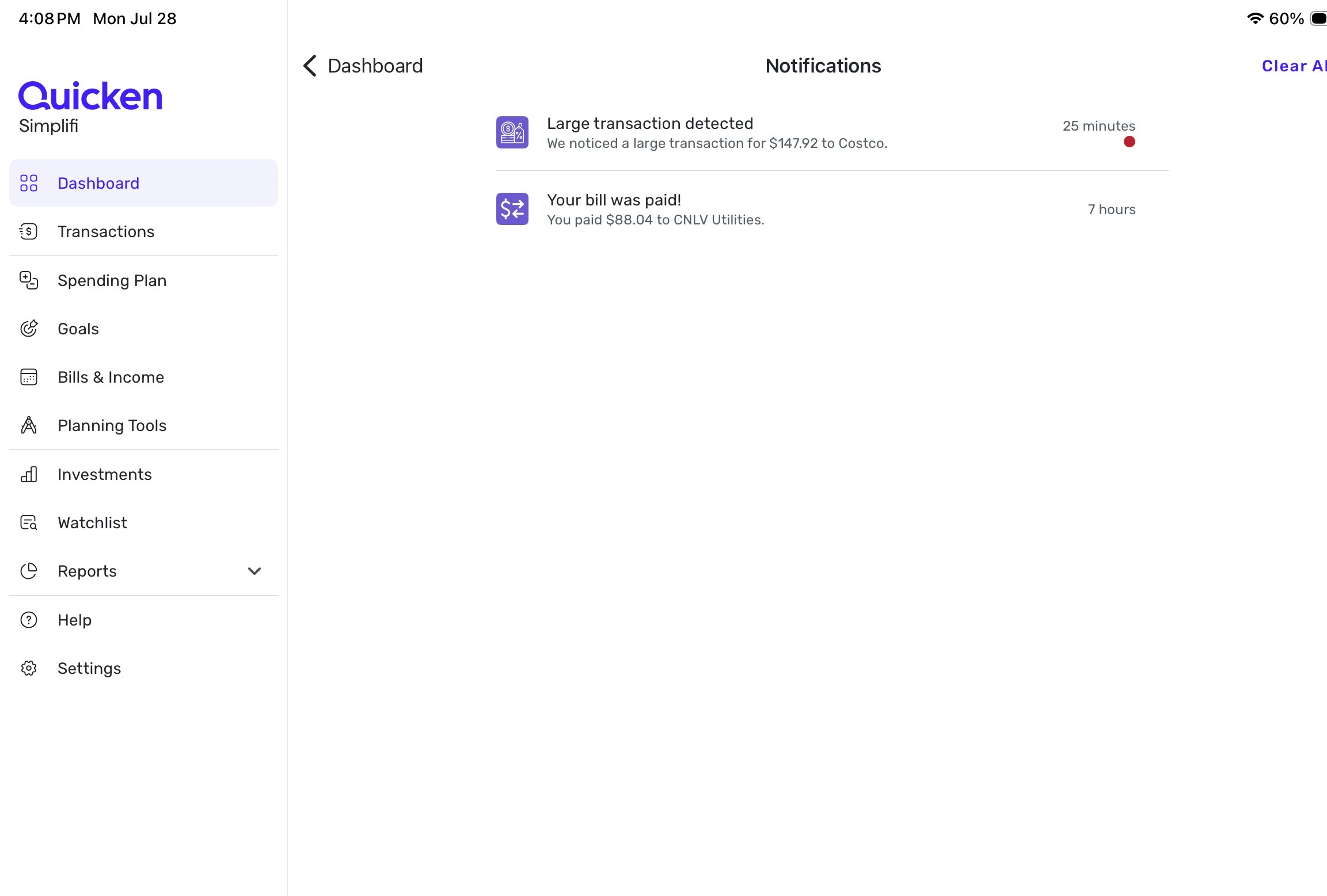 0
0 -
Hello @TheReal702,
Thanks for the screenshot. Can you provide a screenshot showing the notifications on the web application for comparison?
-Coach Jon
-Coach Jon
0 -
Sorry @Coach Jon but I can't. Like I said in my post above, they showed up on the web app, I deleted them, then they showed up on my iPad app even though they had been deleted in the web app.
0 -
They showed up for me again today from last week. I deleted them too.
Edit: This morning they didn't show up, so maybe that's it. These things usually resolve themselves. I toggled off the notifications for a while too.
Steve
Quicken Simplifi (Safari & iOS) Since 2021
Quicken Classic (MacOS) Since 2009
MS Money (1991-2009) and Dollars & Sense (1987-1991)0 -
Hello @TheReal702 and @SRC54,
Thanks for the replies. The next time you look at notifications, take a screenshot before and after deleting the original notifications from the first device, just to be sure, in case this behavior happens again. This way, we have a comparison to show the behavior across both devices.
I appreciate your patience!
-Coach Jon
-Coach Jon
1 -
Will do @Coach Jon and thanks for the attention to this. It's not a big deal, I'm sure your programmers have bigger fish to fry.
2 -
I opened the app on my iPhone first in order to grab any new transactions from the Apple card account. I generally do this every day. Here is a screenshot of the messages from the iPhone. The bottom 3 had been previously deleted from a different device, not sure when or which one. For today, I did not delete any of them - as you requested.

Then I opened the app on my Mac desktop. This is a screenshot of those messages. As you can see, the bottom 3 from the iPhone screenshot above are not there.
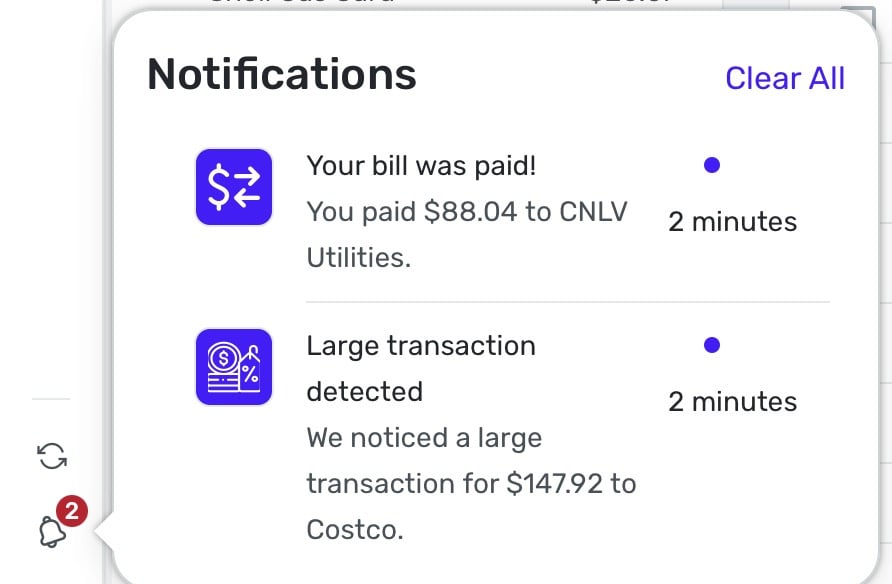
Next is a screenshot from my iPad.
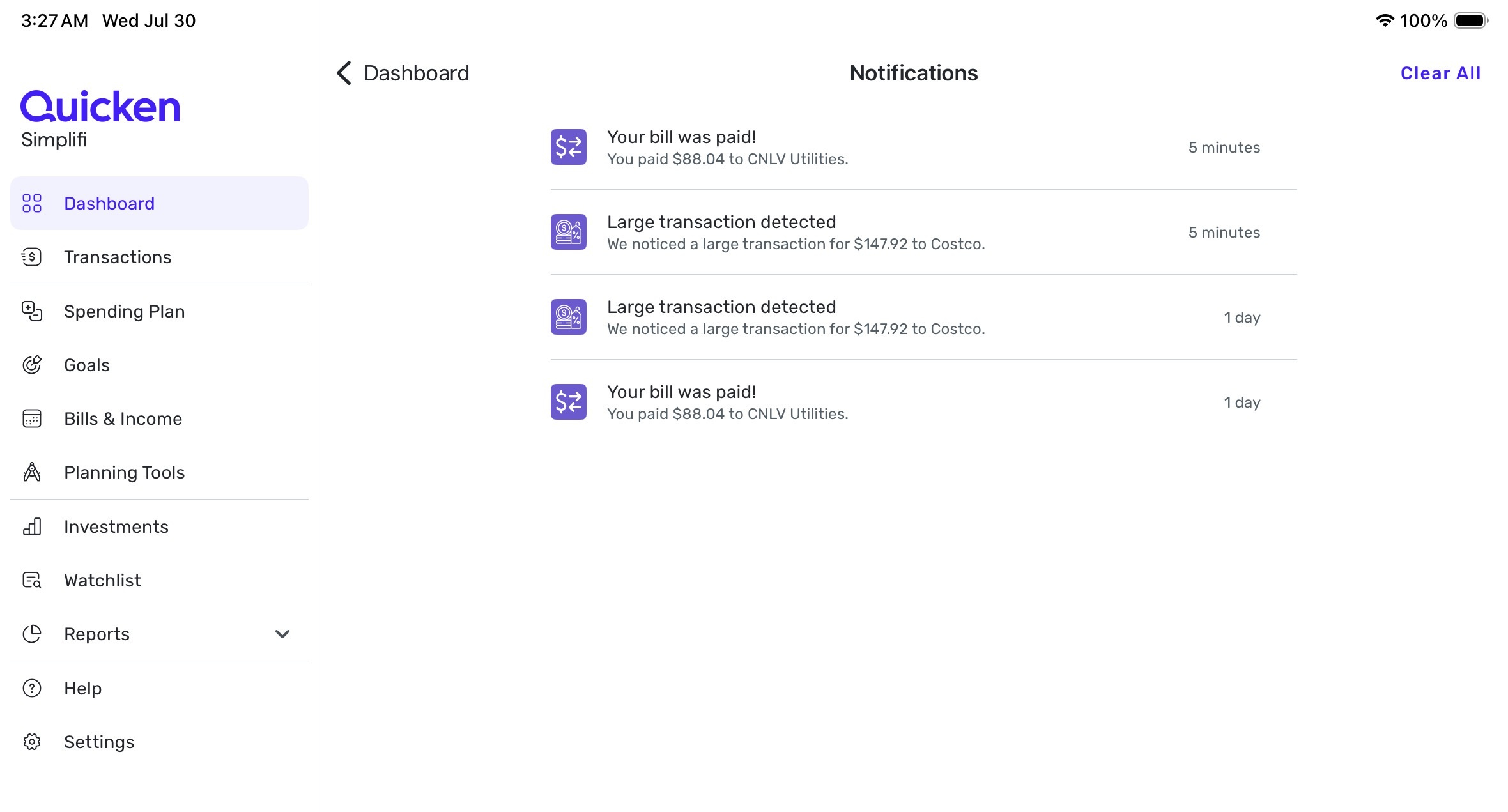
These screenshots were all taken within minutes of each other and I have not deleted any of them yet.
What would you like me to do next?
1 -
Hello @TheReal702,
Thanks for the requested screenshots! Since changes made to notifications from the web application will also apply to the mobile application, I would see if clearing all notifications across your devices, and then disabling and re-enabling notifications, works to resolve this issue.
-Coach Jon
-Coach Jon
0 -
In this order -
I cleared the notifications in the web app, then went to iPhone. The notifications were still there so I cleared them, closed the app, then went to iPad, the notifications were still there so I cleared them and closed the app.
I then went to iPhone, opened the app and paused notifications and closed the app. This paused them on all 3 devices. I then checked the web app on my Mac, and 2 of the notifications reappeared, so I deleted them again. They did not reappear on the iPhone or iPad.
I turned notifications back on using the web app on my Mac, and disabled all of those I don't care about.
I currently have the app open on all 3 devices, and the notifications are empty on all 3.
I'll come back whenever notifications come in and report whether or not this has worked.
Thanks again.
2 -
This morning I opened the app on my iPhone to update my accounts. This notification of a very small pension I receive came in. I cleared it.

About an hour later I checked notification on my Mac with the web app. The same notification is there as shown in the below screenshot.
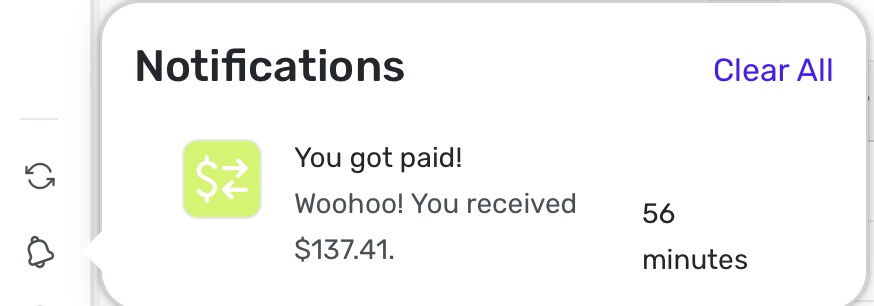
Lastly, here is a screenshot of the same notification from my iPad.
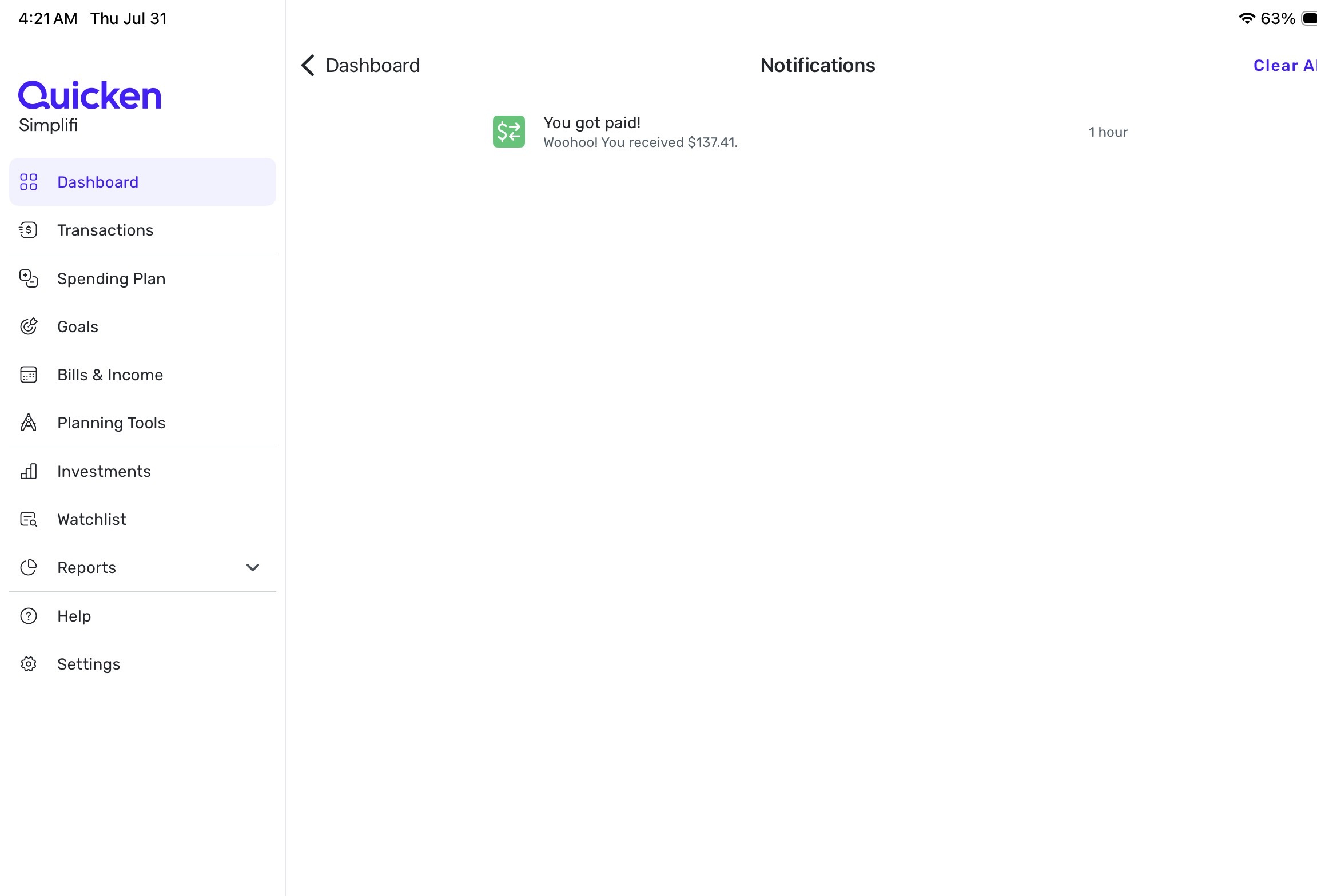
It seems pretty clear that there is a glitch somewhere as the apps are not talking to each other when clearing notifications. I have no idea if this glitch is on my end or yours, but I hope I've provided enough information to help get this sorted out.
0 -
So far I haven't had the wholesale notifications coming back that I was having on the web. So that is good.
The Notifications for Quicken (both Simplifi and Classic) operate within the app. I get them even after I got them on the computer. However, I have notifications turned off on my iPhone so I don't get badges or banners in the Notification Center. So, does anyone get those if they turn them on?
As far as getting them 3x on 3 devices, Apple is all over the place with that. With some apps, you can clear and they seem to clear on the other devices, e.g., mail, messenger. But I notice the banners and the things that go to the Notification Center pretty much show up on all the devices and you have to clear them out on every device.
Steve
Quicken Simplifi (Safari & iOS) Since 2021
Quicken Classic (MacOS) Since 2009
MS Money (1991-2009) and Dollars & Sense (1987-1991)0 -
Hello @TheReal702,
Thanks for the follow-up! This definitely seems like a recurring issue. As far as the timeframe, can you let us know if the notifications eventually disappear on a secondary device after clearing from the first device? Or are the notifications sticking around until you have to clear them on both devices? Can you also let us know what version and build you are currently running in the Quicken Simplifi web application?
We will also need logs to be sent, please!
- Log into the Quicken Simplifi Web App.
- Select Profile from the left-hand navigation bar.
- With the Profile menu open, hold down the Option key for Mac or the Alt key for Windows, and then click Send Feedback.
- Leave all boxes checked, add a brief description of the issue, and then click Send.
-Coach Jon
-Coach Jon
0 -
I'm on Version: 4.68.0
I don't want to lead you guys astray regarding notifications sticking around on all 3 of my devices, but I believe they remain until I delete them on each one.
I just sent the logs.
1 -
Hello @TheReal702,
Thanks for confirming and providing the requested logs. May we also have the web browser and operating system with the associated versions you are using?
-Coach Jon
-Coach Jon
0 -
I'm on Safari and Tahoe OS 26 beta 4
0 -
You are brave; I did a pre-release on my iMac one year and survived. LOL.
Steve
Quicken Simplifi (Safari & iOS) Since 2021
Quicken Classic (MacOS) Since 2009
MS Money (1991-2009) and Dollars & Sense (1987-1991)0 -
Ha, yes but this year I learned to stay away from the developer beta's. After several feedback reports to them, I think I'll shy away from that going forward. I will say they promptly fixed the issues I reported. The public beta's seem to have most of the kinks worked out by the time they release them.
1 -
Hello @TheReal702,
I apologize for not being clearer. We will also need the version of Safari that you are running as well. Afterward, I will get this reported to our product team.
-Coach Jon
-Coach Jon
0 -
That would also be 26 beta 4 for Safari.
0 -
Happening on Firefox & Mobile as well over the last week or so.
0 -
Hello @TheReal702,
Thanks for the information. I did get this issue reported and will be sure to follow up here when we receive a status update from our product team.
-Coach Jon
SIMPL-28473 // QCS-21936
-Coach Jon
1 -
I am very frustrated with the repeated notifications for the same single transaction.
When I get paid I get no less than 5 notifications for it. I want to be notified, but this is ridiculous.
There is no option to turn off this "You Got Paid" notification.When you over notify users you invalidate the purpose of the notification and in most cases they will be disabled out of frustration. The hyperactive notifications is a big black mark on an otherwise useful platform.
0 -
Hello @KCinKC,
Thanks for reaching out and for your feedback! Are you seeing the same issue reported in this thread with notifications showing up on another platform after deleting them on one platform?
For your feedback, there is an option to turn off "Income received" and "Large deposit" notifications in the Notifications settings. You can just toggle these options within the settings menu for Notifications, as shown below.

We also have a couple of idea posts you may be interested in here:
If these do not match what you're specifically looking for regarding notifications, I would suggest creating your own idea post so that other users can vote for and add their feedback as well!
I hope this helps!
-Coach Jon
-Coach Jon
1 -
I receive repeat notifications after clearing out on the same platform (Quicken app on windows PC). I hit clear all notifications, then refresh transactions, then the notifications are back. Been happening for months.
0 -
Hello @potling,
Thank you for letting us know you're also seeing this issue. I recommend that you bookmark this discussion to receive notification of any updates, once available, and to know when the issue is resolved.
Thank you!
(SIMPL-28473 // QCS-21936)
-Coach Kristina
1 -
I use both the web and mobile versions of Simplifi. Previously, when I would dismiss a notification on one device, it would go away on my other devices. e.g., if I had 20 new notifications that appeared across all my devices and I dismissed them on one device, they would be automatically dismissed across my other devices.
Something changed (or broke?) a couple months ago where I now have to dismiss the notifications on all my devices. It doesn't matter whether I dismiss them on the web or mobile apps first, whether I dismiss them individually or using the Clear All button, they no longer stay in sync.
Everything else related to my account RE: accounts, transactions, etc… stays in sync across all my devices. What happened with notifications?
0



