Account list in Settings no longer alphabetically ordered (again)

Comments
-
Hello @ejs,
Thanks for reaching out! I am sorry to hear the issue has popped up again for you. Is it happening in the same way as last time, where it ends with Wells Fargo, and continues with Alliant? Or is it ordered differently this time? If it is ordered differently, when did you notice the change to the order? Have you recently added a new account to Quicken Simplifi?
Can you provide a screenshot showing the list in Settings > Accounts again? Feel free to DM me the screenshot if you prefer.
-Coach Jon
-Coach Jon
0 -
Hi @Coach Jon,
Yes, it is the same way as last time, where Wells Fargo is the last account listed in the first grouping and then Alliant is the first in the second grouping. I just noticed this today, but I'm not sure when it first happened. I do add new accounts quite often - probably the last new account that I added was in the last week or so.
Should I send a screenshot of the Wells Fargo/Alliant spot where the list is broken up? I have so many accounts that it would take an exorbitant number of screenshots to get the full list of accounts.
0 -
Hello @ejs,
Thanks for the reply! Yes, if you can provide the screenshot showing where the list is broken up between Wells Fargo and Alliant, this would be helpful for us. Please let us know if this issue appears in other web browsers/incognito mode and the mobile application as well. I know last time you mentioned it did not appear in the mobile application, but we will want to make sure.
We will need you to provide your web browser, operating system, and the versions of both, as well as send new logs over.
- Log in to the Quicken Simplifi Web App.
- Select Profile from the left-hand navigation bar.
- With the Profile menu open, hold down the Option key for Mac or the Alt key for Windows, and then click Send Feedback.
- Leave all boxes checked, add a brief description of the issue, and then click Send.
-Coach Jon
-Coach Jon
0 -
I sent you a screenshot showing where the list breaks up. This issue does not happen in the mobile app (I'm using the iOS version on an iPhone). It does happen on the web using Google Chrome (Version 142.0.7444.60). My operating system is Tahoe 26.0.1.
I just submitted new logs.
Thanks.
0 -
Hello @ejs,
Thanks for the requested information! One last thing. Could you please provide a screenshot showing how this list appears within the mobile application for comparison, as you mentioned it appears fine there? Feel free to DM me once again.
-Coach Jon
-Coach Jon
0 -
@Coach Jon - I just DM'd you screenshots from the mobile app showing where Wells Fargo appears in the list in the correct alphabetical order (Wells Fargo is the last one in the last, before the Manual accounts start at the end). Thanks.
0 -
Since I too had this problem earlier this year, I checked mine and both in the web and iPhone app, my accounts are still alphabetical for me.
Steve
Quicken Simplifi (Safari & iOS) Since 2021
Quicken Classic (MacOS) Since 2009
Dollars & $ense (DOS) and MS Money (Windows) 1987-20091 -
Hi @Coach Jon,
The issue still exists for me in the web version. How do I check to see if I'm running the latest software?
Thanks.
0 -
@Coach Jon For what it's worth, mine are in alphabetical order except that at the end Zillow comes before Kelly Blue Book.
Steve
Quicken Simplifi (Safari & iOS) Since 2021
Quicken Classic (MacOS) Since 2009
Dollars & $ense (DOS) and MS Money (Windows) 1987-20090 -
Thanks for letting us know! Is it happening the same way as before? To re-escalate this issue, could you please provide the following information again?
New steps for logs can be found below:
- Log in to the Quicken Simplifi Web App.
- Select the Profile icon in the upper-right corner of the screen.
- With the Profile menu open, hold down the Option key (Mac) or the Alt key (Windows), and then click Send Feedback.
- Leave all boxes checked, add a brief description of the issue, and then click Send.
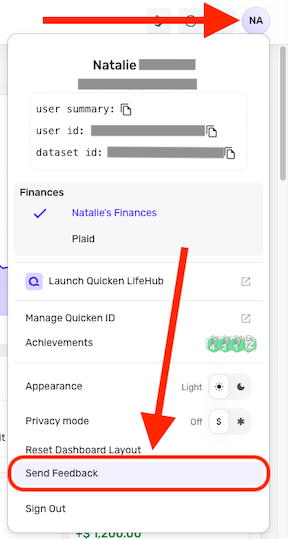
Once we have this information, I will report this back to my product team that the issue is still ongoing and hasn't been fixed.
-Coach Jon
0 -
@Coach Jon Done.
Steve
Quicken Simplifi (Safari & iOS) Since 2021
Quicken Classic (MacOS) Since 2009
Dollars & $ense (DOS) and MS Money (Windows) 1987-20090 -
Yep, on the way. Also sent the screenshot through the feedback.
On second thought, I'll do it here. I am using Safari Version 26.4 (21624.1.16.11.4) on MacOS 26.4.1. This is Web App 6.16.0.
Edit: Not sure why my Car account is excluded from Spending and Reports; I am going to change that.
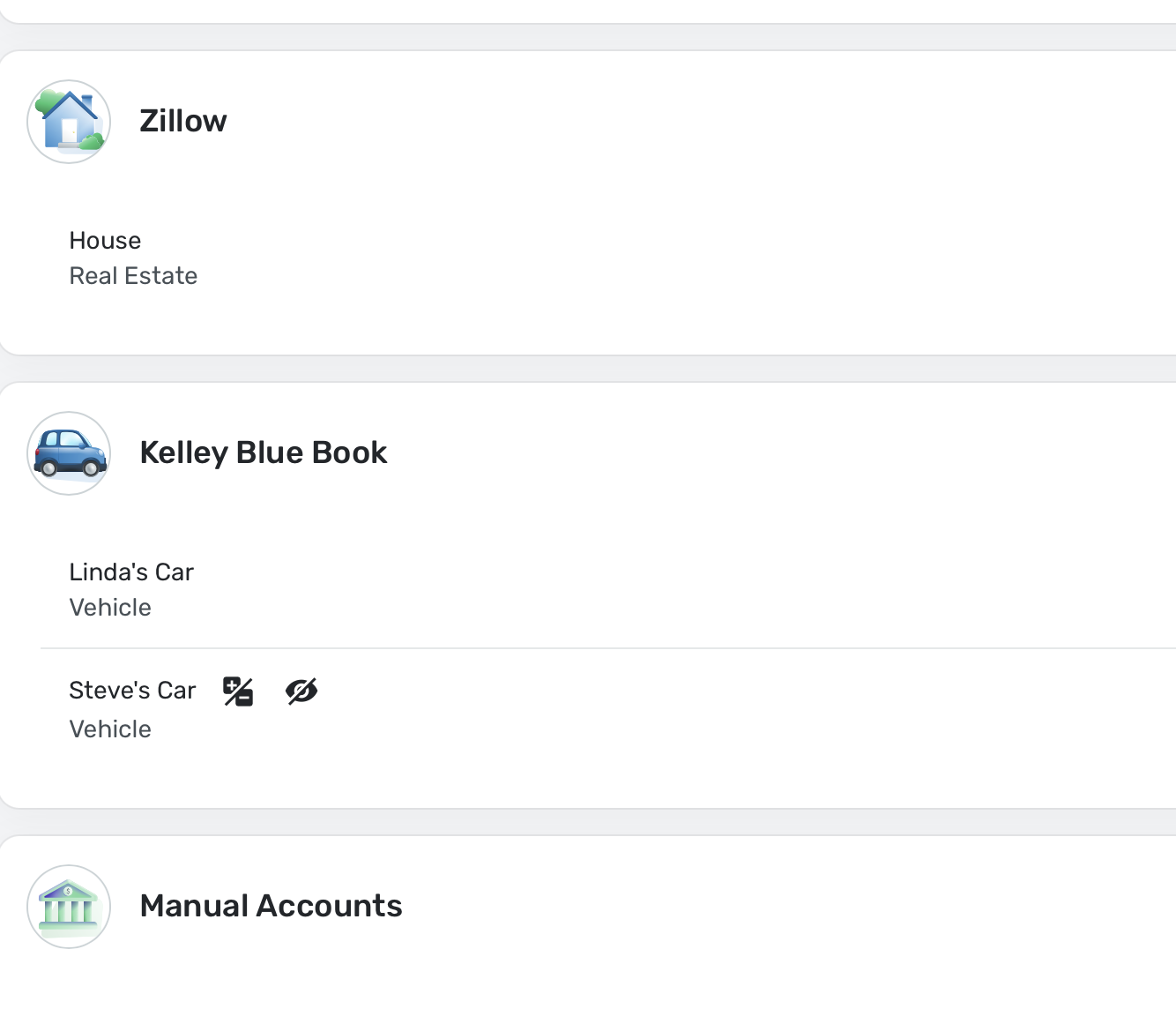
As you can see, it is only the last two accounts I have that are not alphabetical. LOL
Steve
Quicken Simplifi (Safari & iOS) Since 2021
Quicken Classic (MacOS) Since 2009
Dollars & $ense (DOS) and MS Money (Windows) 1987-20090 -
@Coach Jon, I submitted logs as well. My list, like before, has about a dozen financial institutions that form a separate alphabetically ordered group starting after Wings Financial Credit Unions (before the cut-off was after Wells Fargo, but Wings is a new account that I added since last time around).
1 -
@Coach Jon Well, mine are in alphabetical order though I have to add that I no longer have my Apple Accounts linked.
Steve
Quicken Simplifi (Safari & iOS) Since 2021
Quicken Classic (MacOS) Since 2009
Dollars & $ense (DOS) and MS Money (Windows) 1987-20091 -
@Coach Jon, looks like this is now fixed for me as well. Thanks!
3

