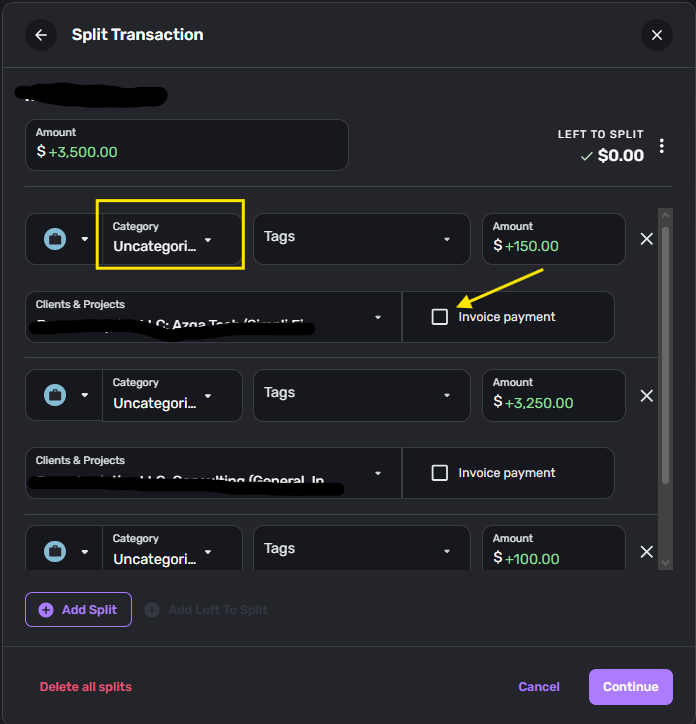
Unchecking "Invoice payment" on Split Transaction Always Results In "Uncategorized" Split

As promised, from the posts here and - I made separate posts for the other "elements" of the main issue.
Again, the full sequence is described here. The main issue in this post is that unchecking the "Invoice payment" box at any time immediately removes the Split's Category selection and results in "Uncategorized." It would be better if the box did not affect the state of the Split in this way and the Category was persisted.
Comments
-
Hello @Dakota,
Thank you for the detailed information in this post! This seems like it could also benefit from being converted into a feature request since you are requesting a change to how the feature works with the 'Invoice payment' checkbox. We can definitely convert this post into a feature request for other users to vote for and provide feedback on as well. Let us know!
Our FAQ on creating idea posts goes into more detail here:
-Coach Jon
0
