Apply Payment Dialog Always Initializes with "No Open Invoices"

As promised, from the posts here and here - I made separate posts for the other "elements" of the main issue.
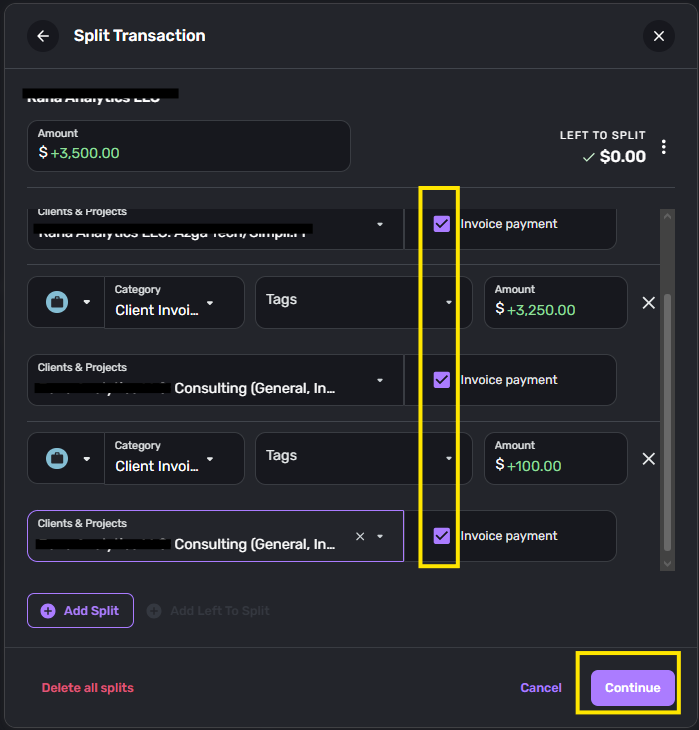
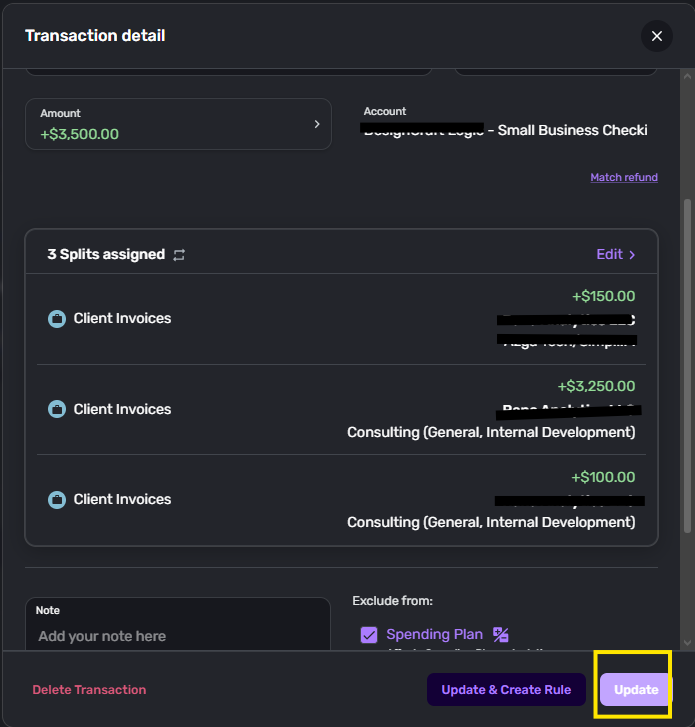
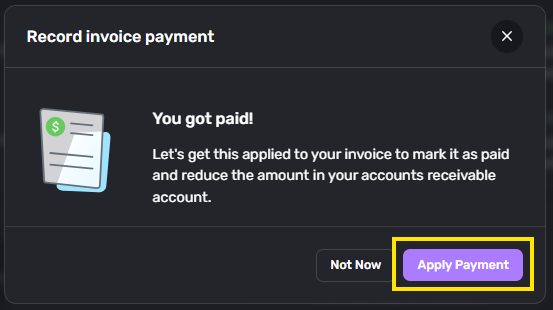
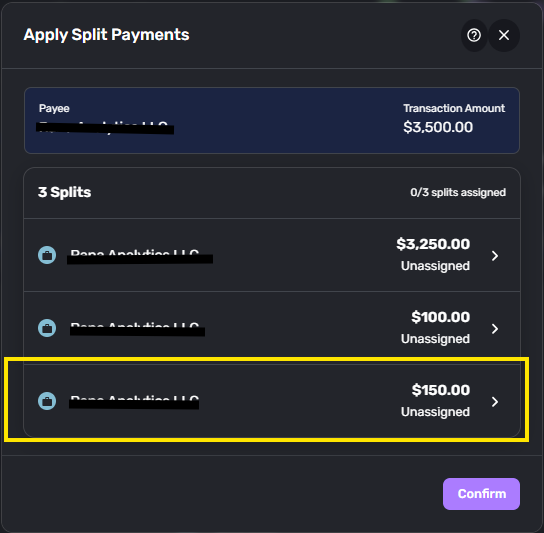
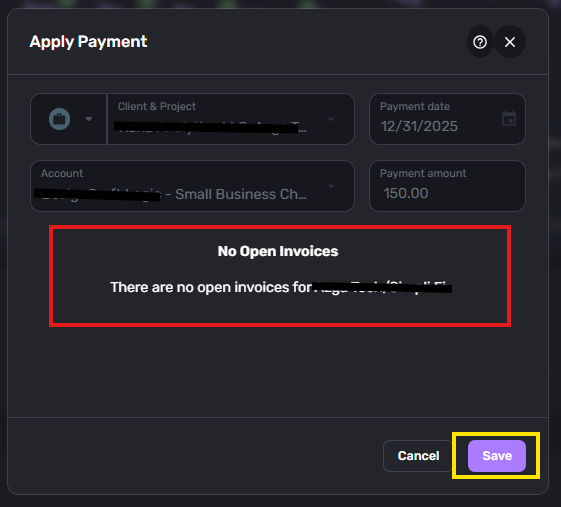
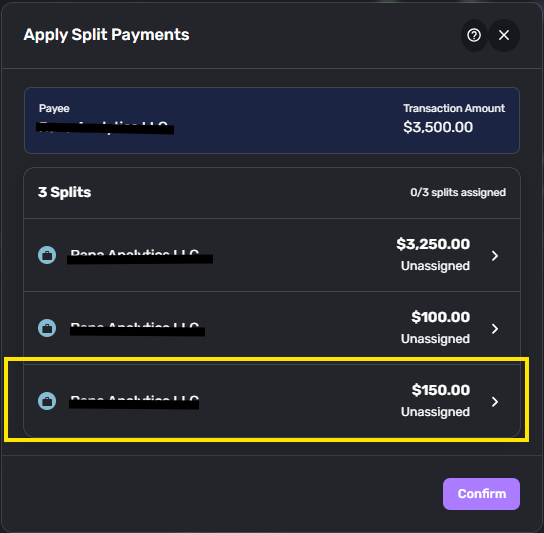
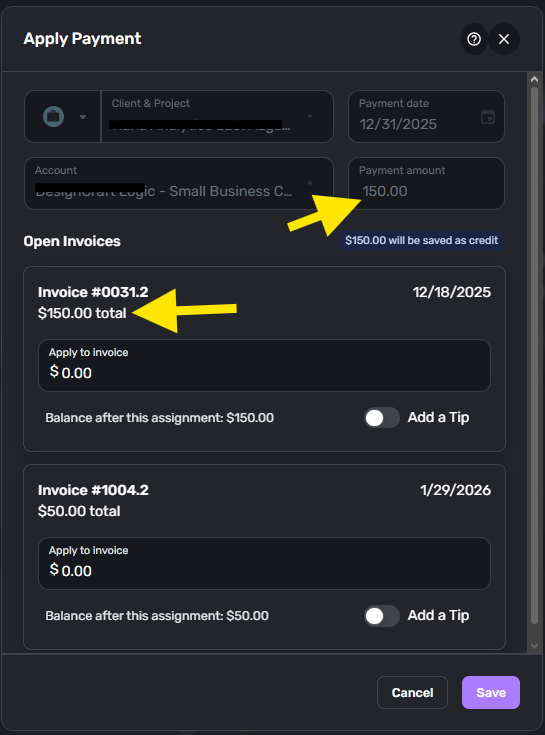
The full sequence of button clicks is captured in the here so I won't re-type all that in this post. The issue is that the "You got paid" → "Apply Payment" → Select payment to apply ALWAYS results in a "No Open Invoices" screen the first time I click to apply a Split Payment, so applying Split Payment always takes extra clicks when navigating the dialogs. The sequence is always:
- "You got paid" → "Apply Payment"
- For-Each Split Payment:
- Select payment
- "No Open Invoices" → Save → Re-select the same Payment to apply
- Apply Payment → Save
- Confirm
I would like to see a fully populated list of Open Invoices the first time to eliminate Step "b." from the sequence above.
Comments
-
Hello @Dakota,
Thanks for the information! From what I gather from this post, you are requesting a change to how the Apply/Select payment process works in Quicken Business & Personal, correct?
If that is the case, we could convert this post into an idea post that you and other users could vote on and provide feedback for going forward. Let us know if that is something you are interested in!
Our FAQ on creating idea posts goes into more detail here:
-Coach Jon
0 -
I mean, professionally I wouldn't consider this an "idea" but a bug or at least a UX issue. But if it needs to be an idea, then okay. \_(-.-)_/
Sincere apologies for being a bit salty here … these issues arose out of my main post, which has cost me 15+ hours in troubleshooting. That was 15 hours that I wasn't getting paid, but instead was trying to figure out why my books weren't balancing in a software I purchased to help me do bookkeeping for my business.
I am trying to propose meaningful changes, as a SW developer, that Quicken's SW developers can act on which will make the product better and save me time and frustration. If you'd like to set up a call to go over these things, please feel free to have someone email me [removed - privacy]
0 -
Hello @Dakota,
I can certainly understand where you are coming from. Converting this into an idea post would allow the community to contribute their votes and feedback on the idea. Our product team also reviews the idea posts!
I can't have someone call or email you, but you can reach out to our support team here via chat/phone:
-Coach Jon
0
