QBP: Option to hide unused categories in the Schedule C, E, F View in Taxes Report (edited)

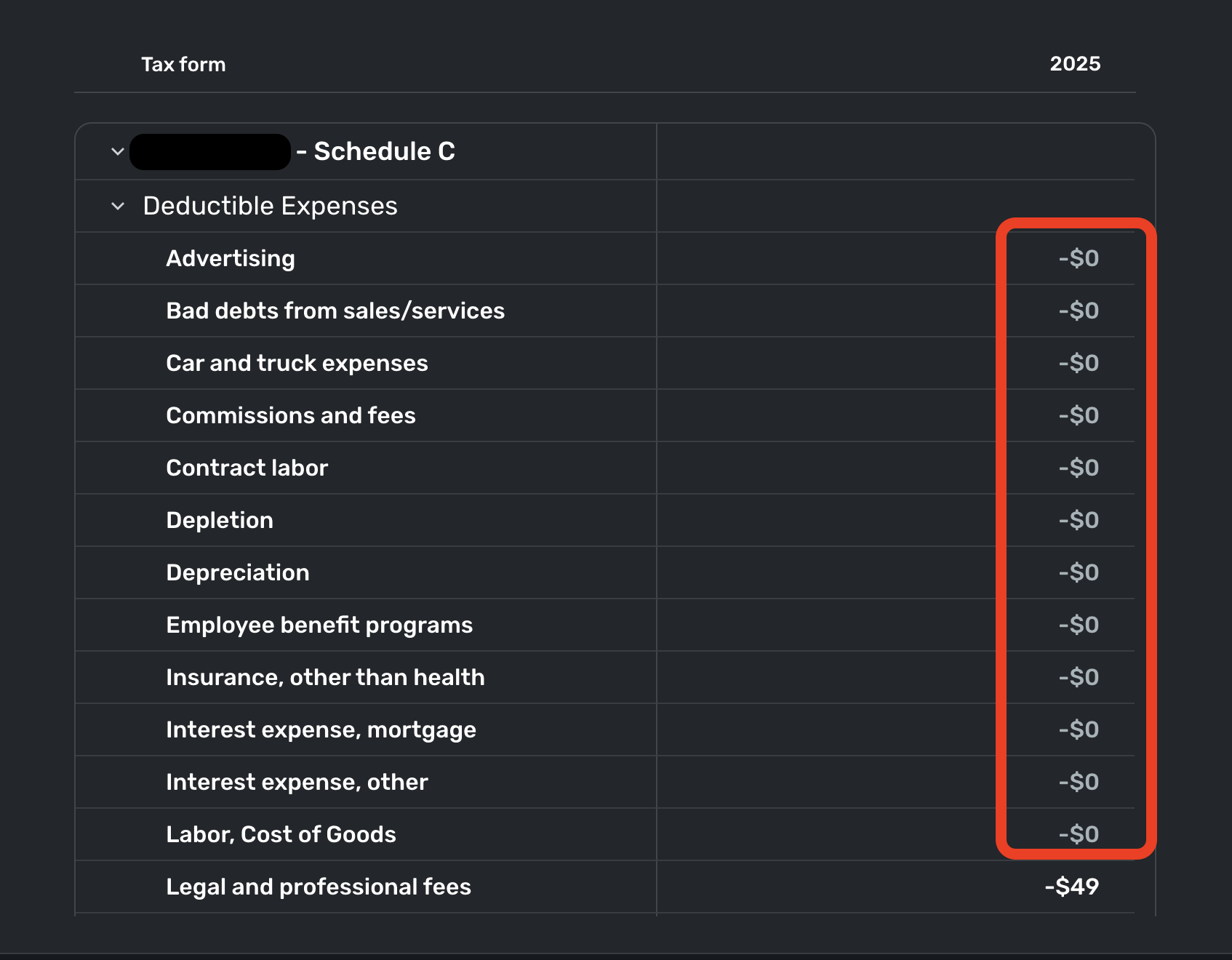
In the Taxes Report, it would be great if we could hide all the expense category lines that have a $0 balance that we are not using. It would be much cleaner and easier to read if only the expense categories we actively use were displayed in the Tax Form. Maybe there could just be a toggle for "Hide empty categories" or something like that.
Also, I noticed in the latest update that the Tax Form got inverted to where the Deductible Expenses are at the top and the Income is at the bottom. I much preferred the other way with Income first at the top, then the Deductible Expenses below that at the bottom. Maybe consider reverting that :)
Comments
-
Added my vote…. While being able to Show those categories may inspire recategorization, hiding them is cleaner for viewing quickly.
—
Rob Wilkens
1 -
@cyberstackn, thanks for posting your feedback on the Taxes Report to the Community!
I have gone ahead and turned this into an Idea post requesting the ability to hide unused Expense Categories from the Taxes Report so other users can vote on it and our product team can review it. For any additional requests, such as showing Income at the top of the Taxes Report, you will want to create a separate Idea post.
Here is our FAQ on creating and voting for Idea posts here in the Community:
Thanks again for the great suggestion!
-Coach Natalie
1 -
I am no longer seeing unused expense categories in the Taxes Report, so this Idea appears to be implemented.
Thank you!
-Coach Natalie
0 -
Hi Natalie, I just checked and am not seeing that change on my end. I do see a new option to "Expand all" or "Collapse all," which is nice to have, but when it is expanded, all the $0 expense categories are still there. Was there an update that hasn't been pushed out to me yet, maybe?
0 -
@cyberstackn, I don't see any $0 expenses listed in my Taxes Report, with both the new Enhanced Reports, as well as the old Reports. The screenshot in the opening comment in this request shows a lot of $0 line items, and I was seeing the same at that time, but I am no longer —
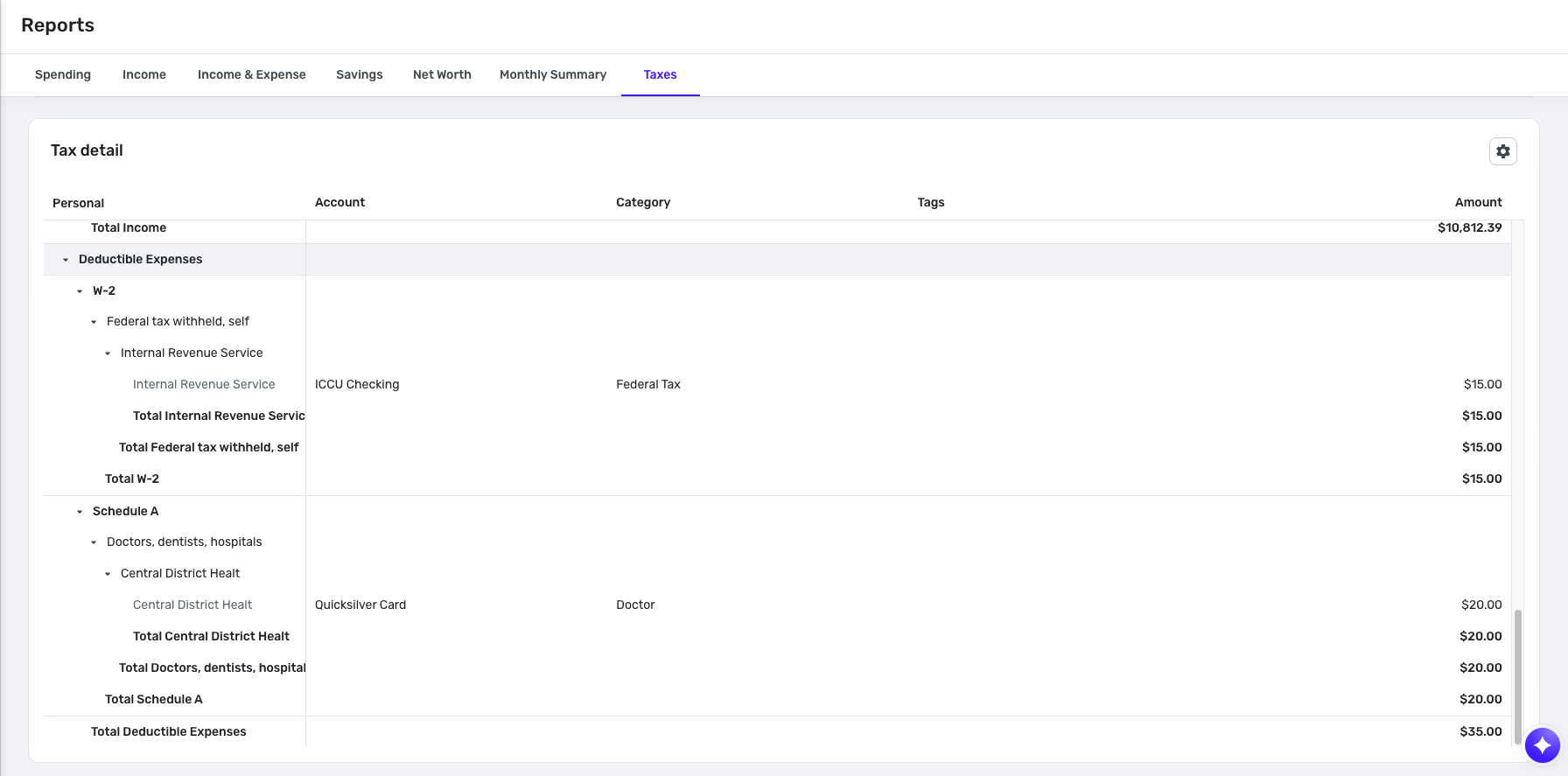
Please provide a screenshot of what you're referring to so we can see what's going on. Thanks!
-Coach Natalie
0 -
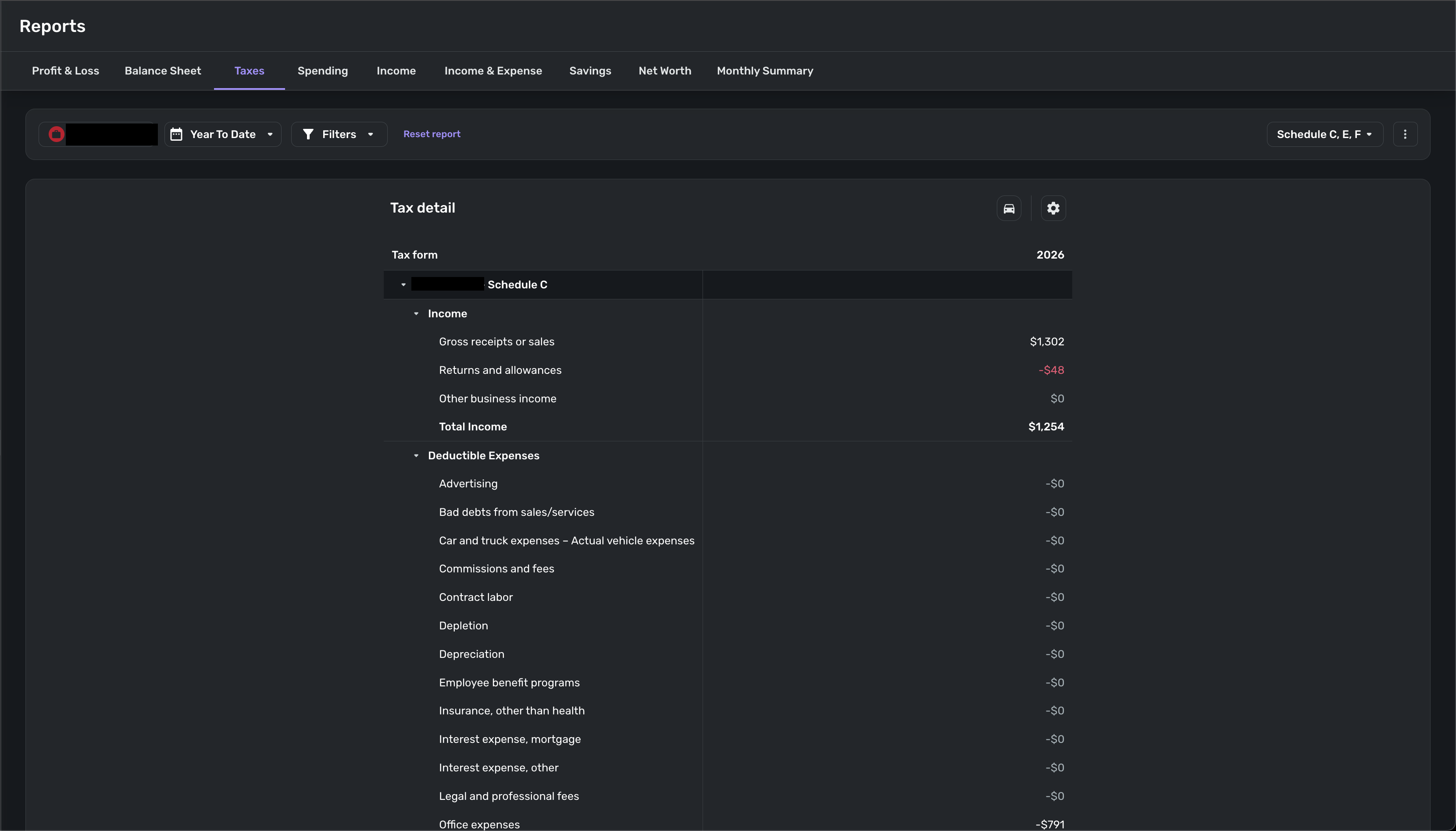
Oh, you are looking at the Detailed view. My original comment was referring to expense categories in the Schedule C view, which I believe only applies to business accounts. Screenshot below for reference.
 0
0 -
@cyberstackn, thanks for clarifying your request!
Since you are referring specifically to the Schedule C, E, F view in Quicken Business & Personal's Taxes Report, this request has been edited to that view in that report and moved to the QBP Feature Requests section of the Community. I have reopened it for voting.
I hope this helps!
-Coach Natalie
1 -
Sounds good! Thanks
1

