Upload/Import transactions with attatchments (PDFs)

Issue:
I use Comdata CC for fuel and odds and ends, 100+ purchases a month. I am not a Comdata client, which means I cannot set up Q-S (Quicken-Simplifi) to automatically sync like a bank. I can get my statement and convert it to CSV to upload. However, I am having issues with that being assigned to projects and categories, an issue for another post. Because this is business, I need my receipts, and I regularly scan them into a PDF.
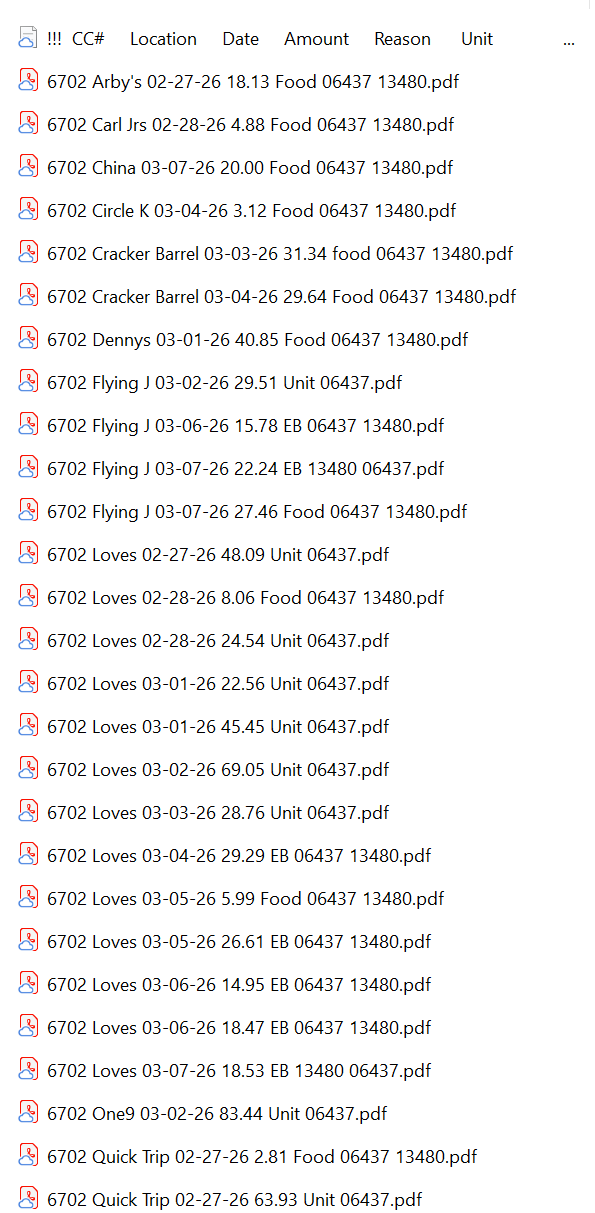
The image shows a portion of my receipts for one or two units (loads) and how I store them with a txt file as a template. This way I don't need to open a reciept to see what it was for, I label it as I scan each one at the end of the day or days.
last four of the CC# - Location meaning name of business - Date - Amount - Catagory - Unit#(s)
Is there a way to attach each PDF to an email and send it to Q-S, or even upload it from a laptop to Q-S online (an idea from using QBO)?
Before you suggest using the mobile and doing it at the time of getting the receipt, my issue becomes that some of these receipts are long and vital info is at the top and bottom, which means wide-angle and pray. The other issue is that the image of my old, shaky hands is often illegible.
I'm Tex .... Friendly, try not to bite, will answer any question, ...... um
#DTNLivingLife
Best Answer
-
Hello @TexNolan,
Thank you for reaching out! Unfortunately, Quicken Simplifi does not currently allow attachments to be uploaded via email. If you have the files saved on your computer, you can attach them to the appropriate transaction. For more information on adding an attachment to a transaction, please review our article on managing transactions: .
If that doesn't meet your needs, I recommend creating an Idea Post to request the functionality you'd like to see. Ideas that get enough votes may be implemented in the future! For more information on creating an Idea Post, please review the discussion linked below:
I hope this helps!
-Coach Kristina
0

Answers
-
Coach Kristina,
To answer, does this help? Yes, just not the answer I was hoping for.
And yes, I will try to post an idea to broaden how Q-S works and possibly make things easier for everyone when inputting the data.Thank you
I'm Tex .... Friendly, try not to bite, will answer any question, ...... um
#DTNLivingLife
1