Bill entries missing in the Spending Plan from month to month (edited)

Hello,
As anyone experienced seeing different or missing entries in the Bills section of the Spending Plan feature from month to month. For some reason I’m not seeing consistent entries every month.
I would appreciate any help or suggestions.
Regards,
Henrique
Comments
-
@Quinho, thanks for reaching out!
In order for something to show in the Bills section of the Spending Plan, it must:
- Be a recurring reminder, whether "Upcoming" or "Past"
- Be a transaction linked to a recurring reminder, which will show a "Paid" label
With that, I'd first recommend identifying which specific recurring bill is missing from the Bills section of the Spending Plan. You can then look at the history in the recurring series to see if there is a linked transaction for the month in question.
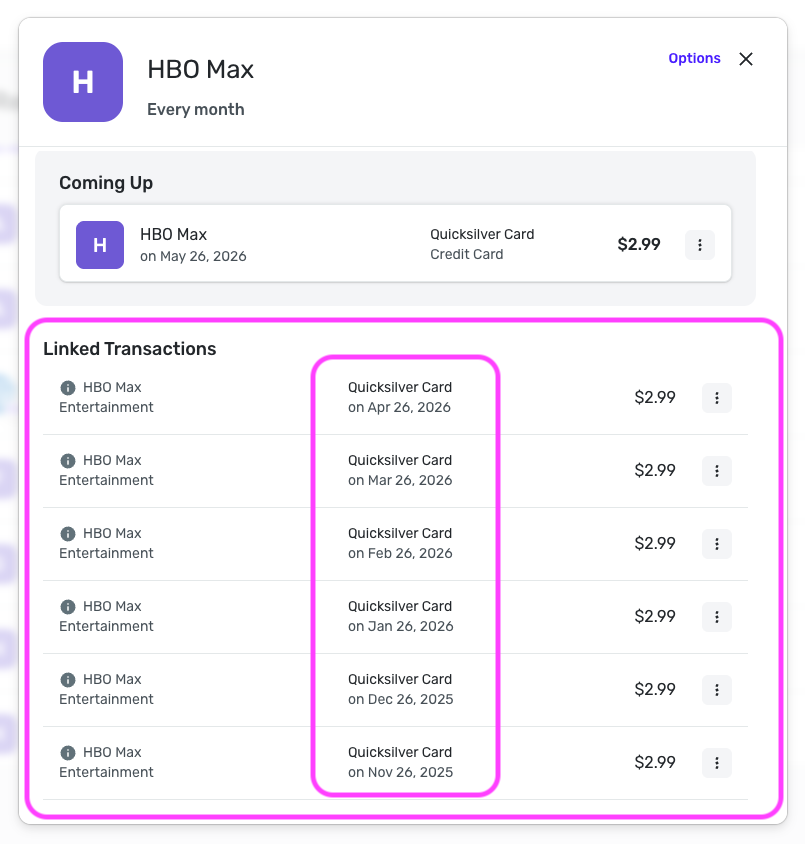
If there isn't, you can look through your transactions to find the transaction for that month and link it to the series by following the steps here to link from the transaction directly:
Once done, the item should show up in the Spending Plan as expected. Let us know how things go!
-Coach Natalie
0 -
Hello,
Thank you for your suggestions. It was helpful. However, I’m also noticing that instead of showing what is the reoccurring amount on my reminders, it shows the total amount that I owe. For example, I have a credit card account that I owe 1000 dollars and my monthly reoccurring payment is 50 dollars. My reminder will show 1000 instead of 50. Why Quicken doing this?
Regards,
Henrique
0 -
Thank you for your reply,
Is the series connected using Bill Connect? If it is, I suspect a setting is overriding the reminder amount and replacing it with the statement balance or the total balance. To check for this, first, get to the Edit Series screen. To do this, in the Bills & Income screen, click the 3 dots to the right of the problem series and select View Series.
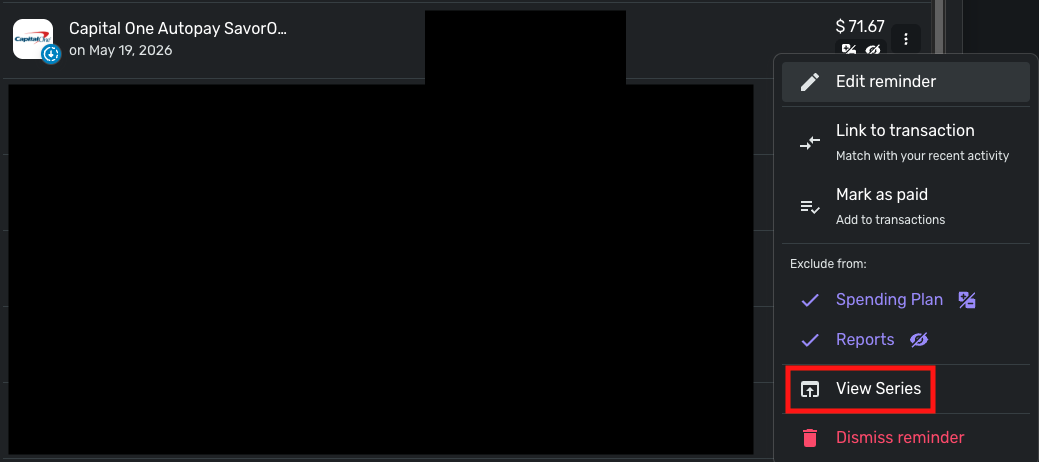
Then click Options in the upper-right corner and select Edit Series.
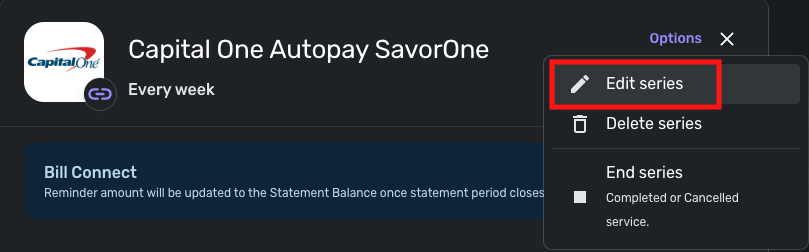
In the Edit Series window, select the Bill Connect tab, and look in the "When your statement period ends, update reminder to:" section.
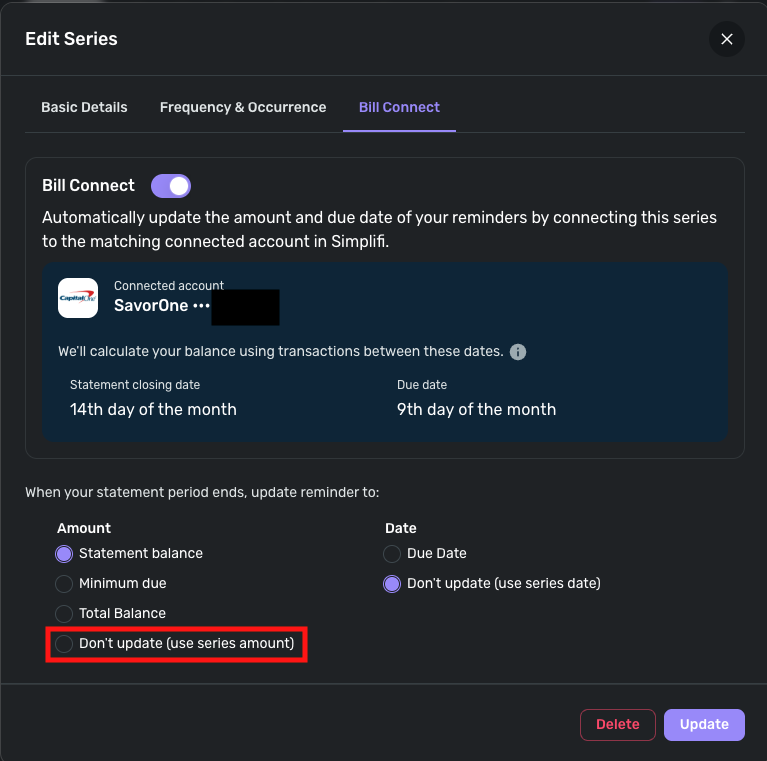
To force the series to show the series amount, make sure that "Don't update (use series amount)" is selected.
I hope this helps!
-Coach Kristina
1

