Spending Summary Report changes from Months to Days with date ranges less than a month (edited)

Switching back and forth between date ranges changes the default layout of the Monthly Summary Spending report from Monthly to Daily column. Saving the report or making a custom report and saving that makes no difference. Same issue when selecting any date of a month of less.
To me this feels like a bug for default column settings not being retained.
To test this
- Create a Spending report for Last Month, change to Summary. Columns are by month
- Switch dates to see Recent 3 months - columns are by month
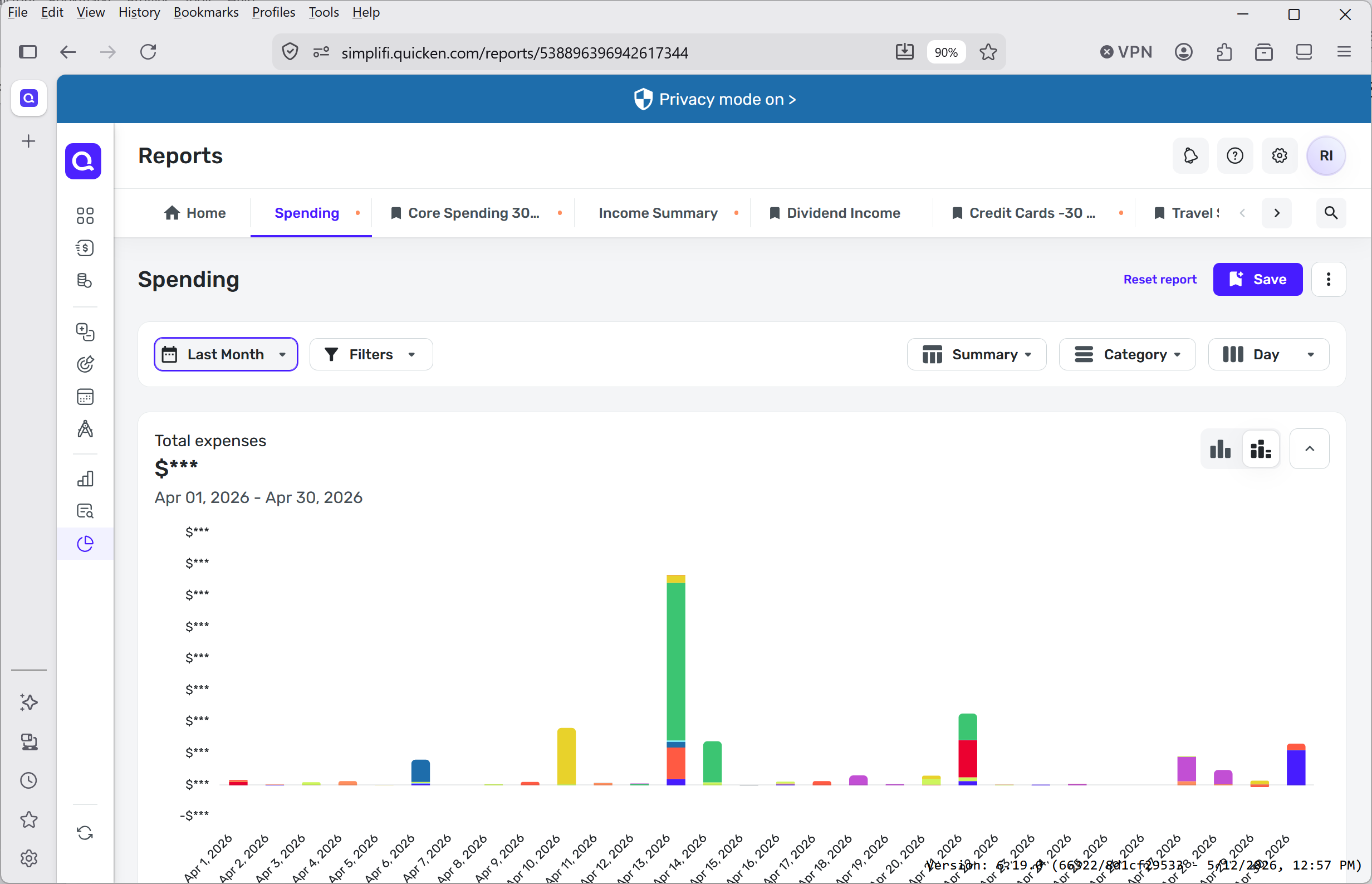
- Switch date selection back to Last Month and columns are now by day , without asking user to change.
Spending by Day his not a very useful view in most cases ,and its annoying to have to reset to By Month every single time you ever want to go back to month view.
Step 1
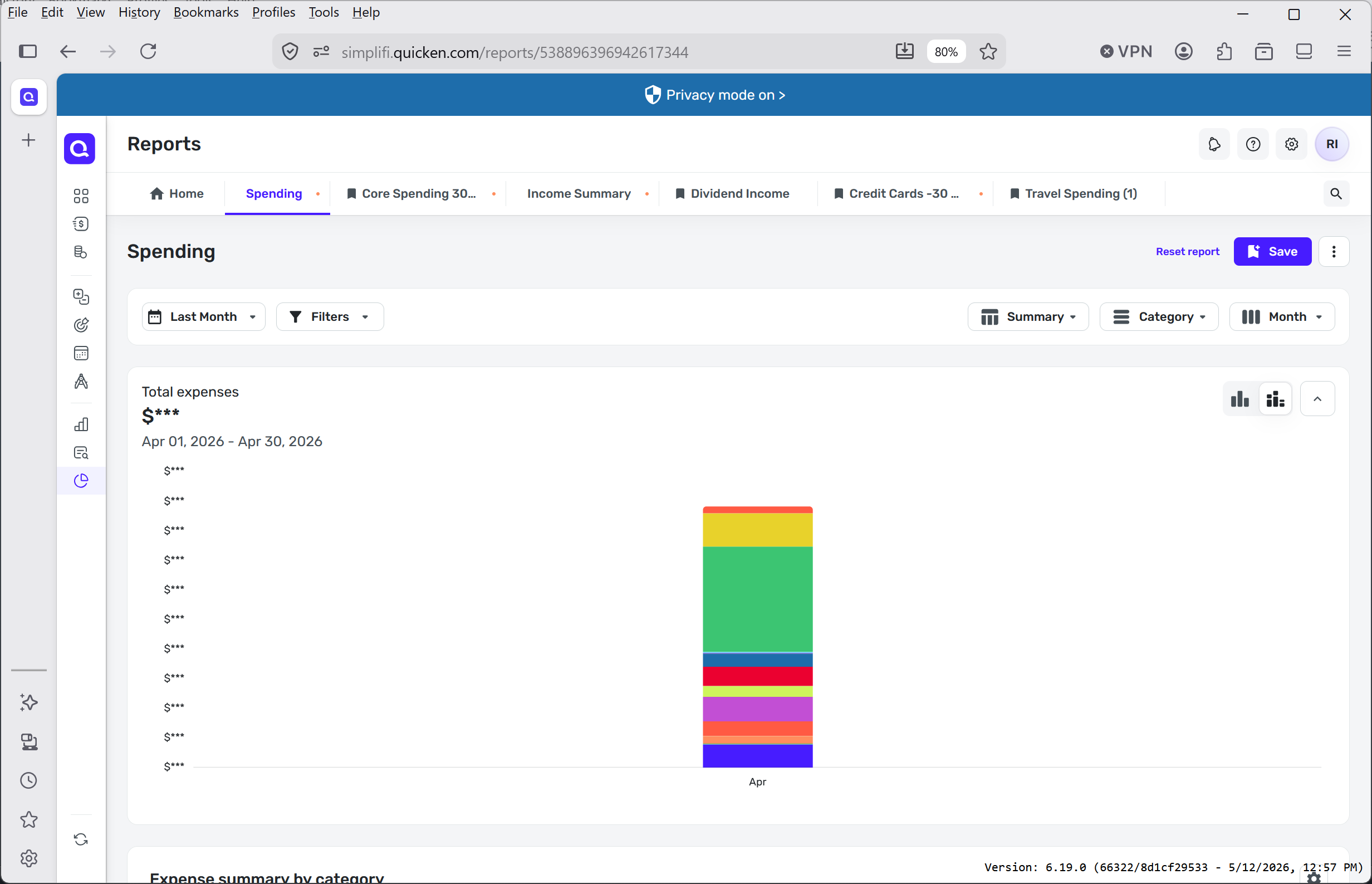
Step 2
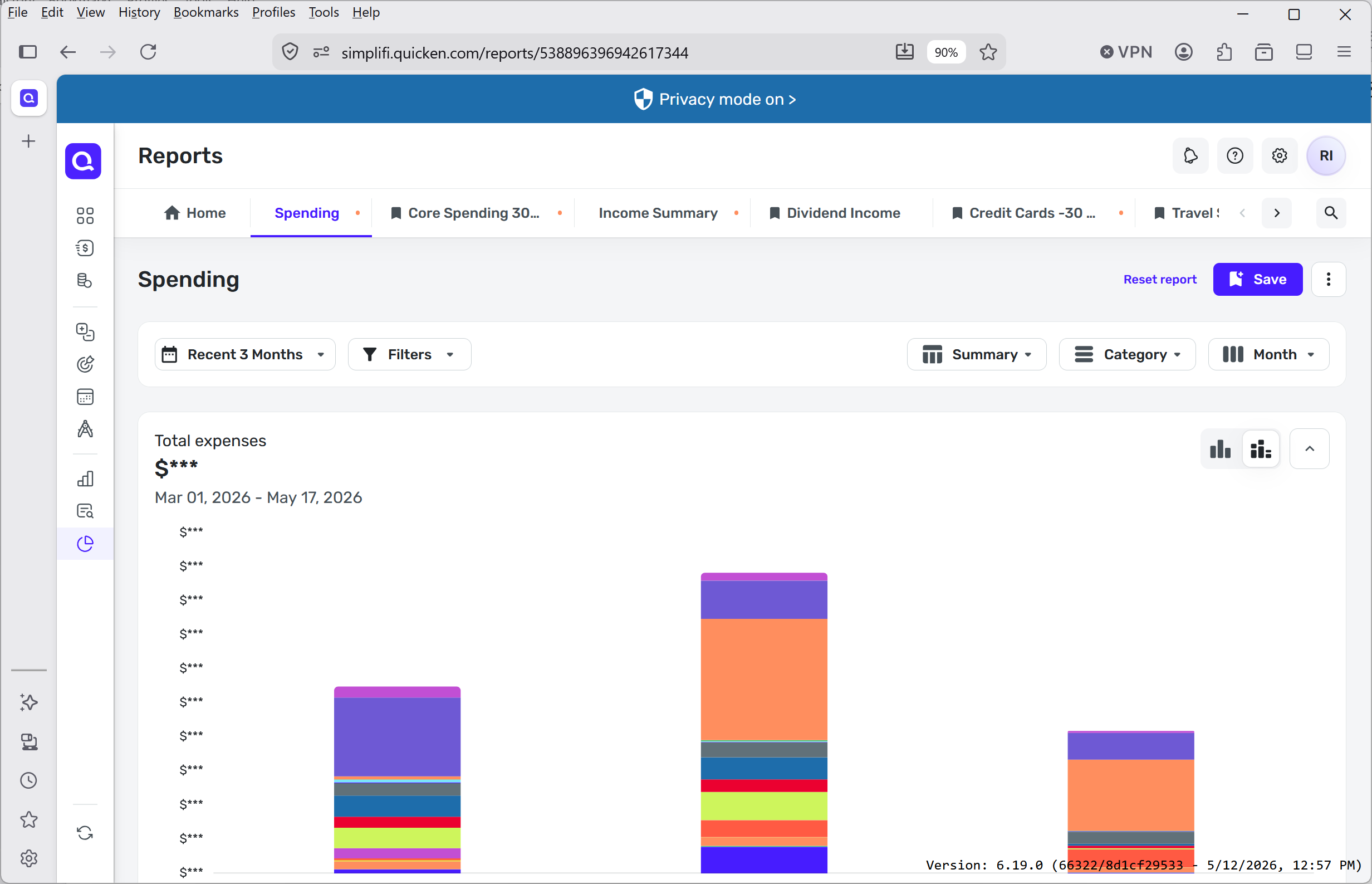
Step 3 - columns reset to day without asking
Comments
-
@RobI, thanks for posting to the Community!
This is expected behavior. The same pattern appears in other reports when they are run over a short date range, and I can confirm this has been the case for quite some time —
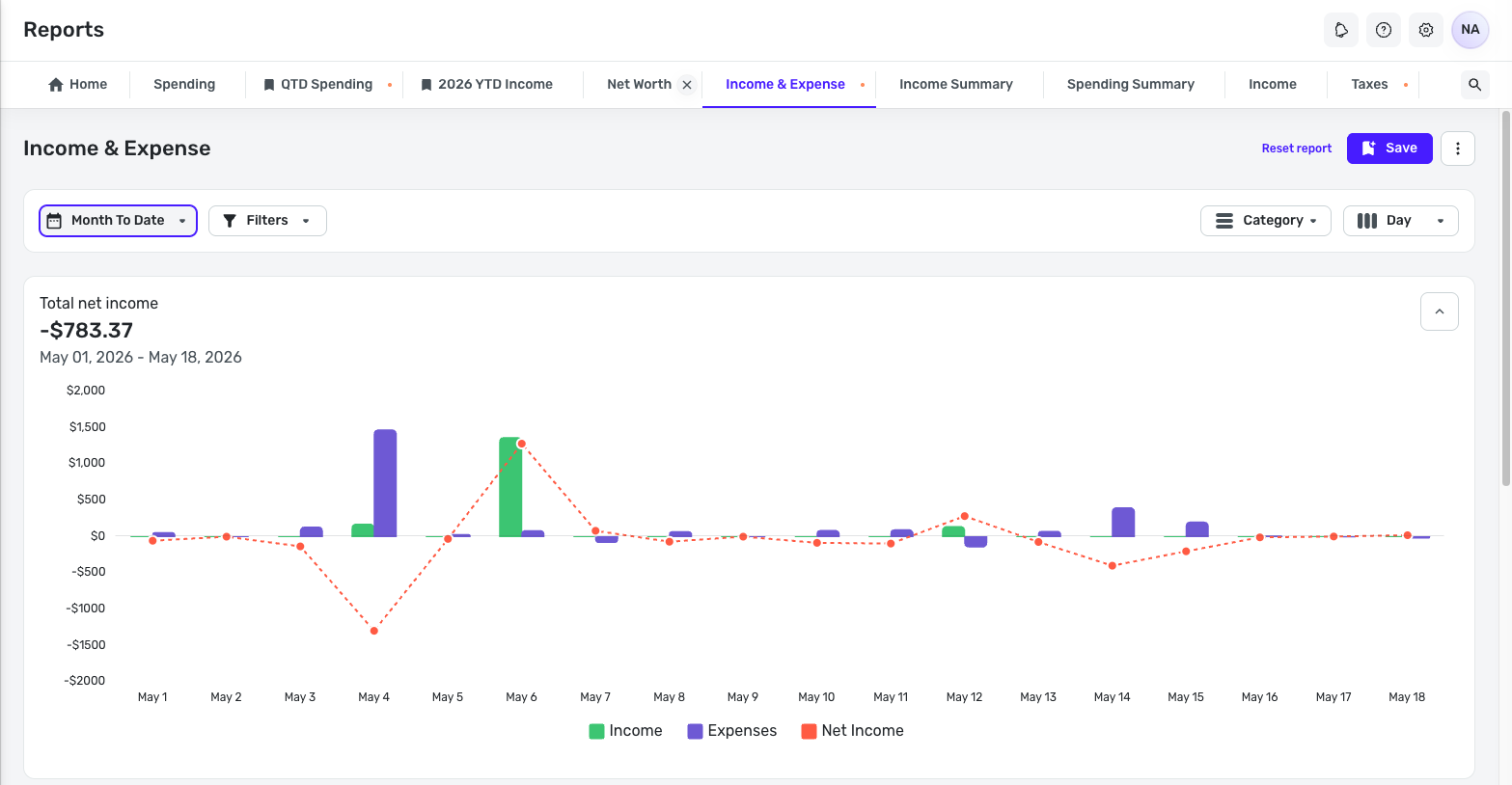
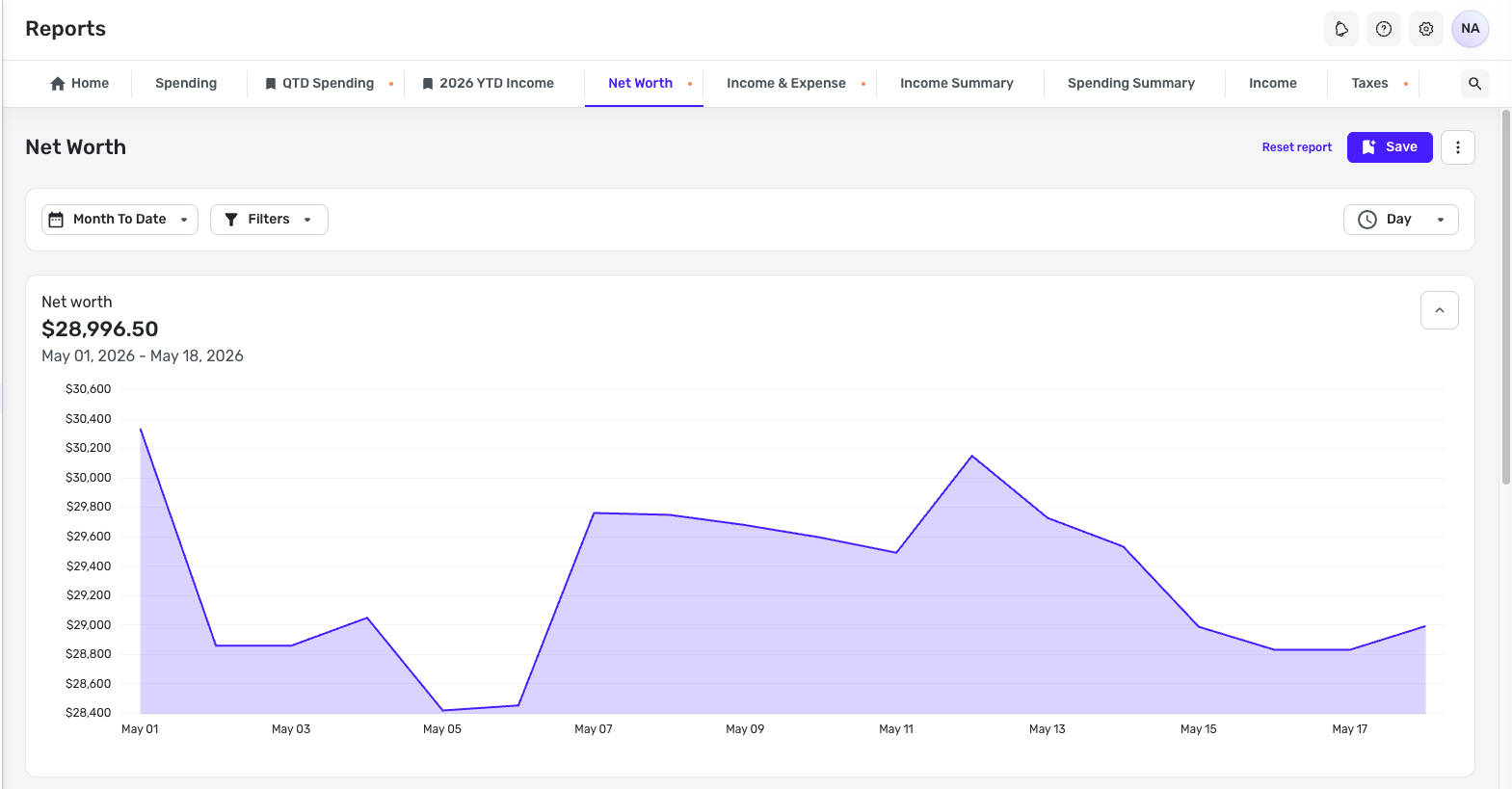
It looks like some reports, like Net Worth, offer interval options that allow you to change this —
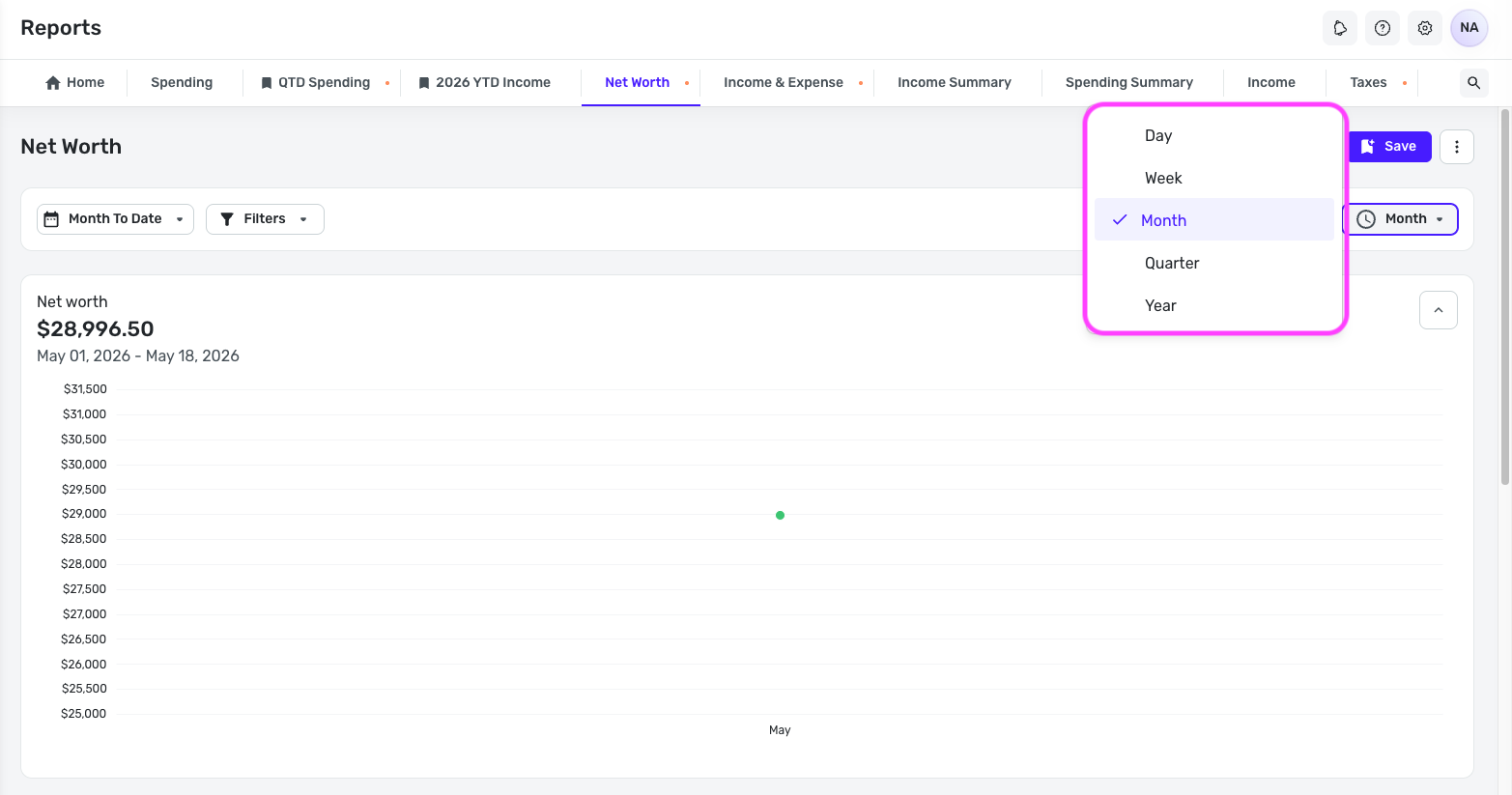
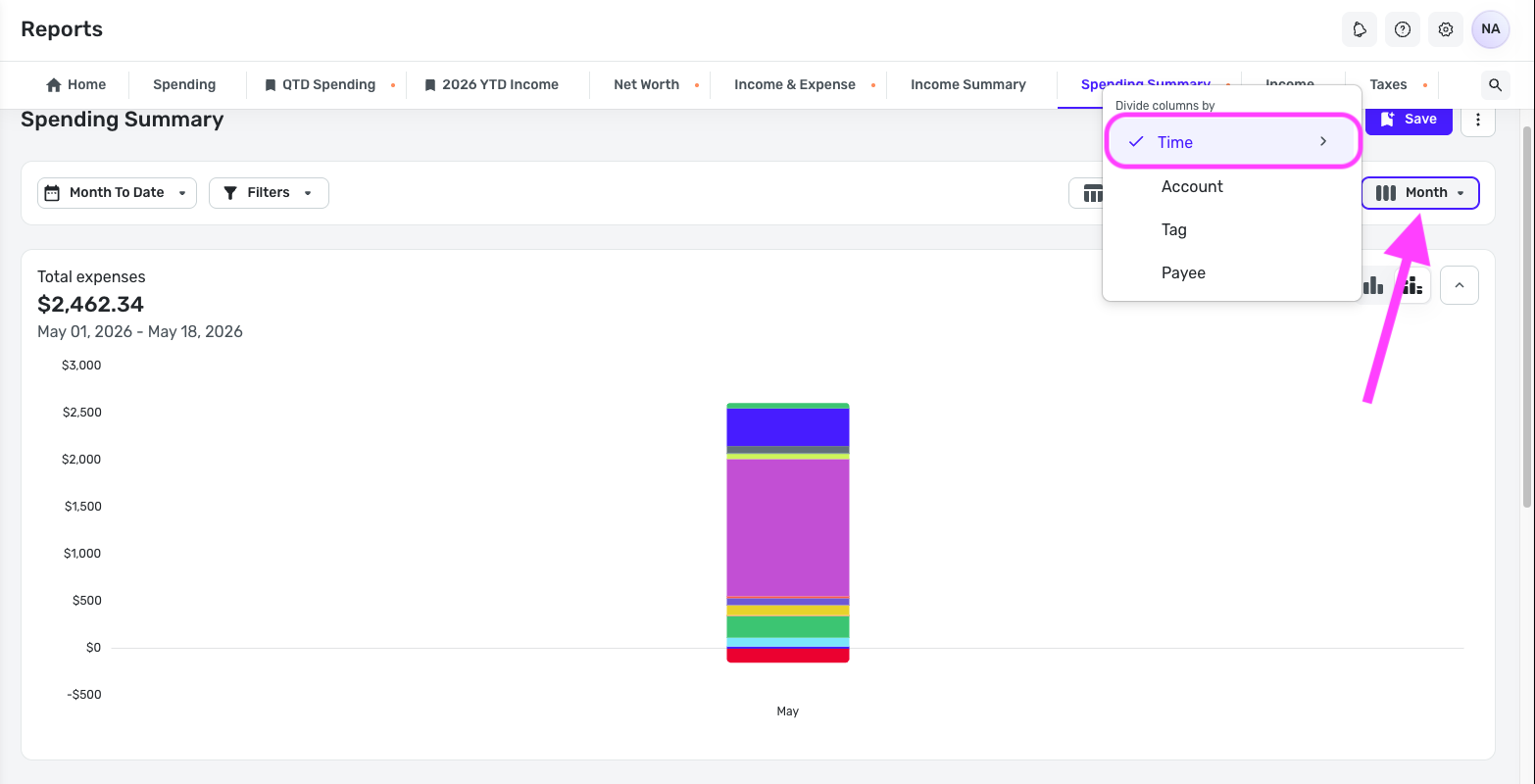
To get to the interval breakdown options in the Spending Summary report, click the 'Day' button in the upper right, then hover over 'Time', and change it back to 'Month' (or whichever interval option you'd like).
I hope this helps!
-Coach Natalie
0 -
Thanks @Coach Natalie. I had figured out that workaround, but I'm doing this switching date ranges almost daily to look at longer and shorter time horizons especially spanning the last 30 days (which is a Quicken C reporting feature). I'd expect the settings to return to where they had started. I even tried saving the last 30 days by month view as a report but that doesn't work either. It is just rather tedious.
(Aside - I can't see any strong design use case for By day summary report ever being a default view unless you are a very spendy person and have loads of daily transactions).
0 -
@RobI, custom views should persist in reports. I just tested by re-opening the Spending Summary report in my account, and the date range is still 'Month to Date', and the interval breakdown is still set to 'Month', which is how I customized it earlier.
Persistent views are different from Saved Reports. The 'Persistent Customizations' section here has more details on this feature:
Are you saying that your custom view is not persisting across sessions? Or are you changing the date range and then switching it back to a month or less afterward? If it’s the latter, the “Day” breakdown is the default view for shorter date ranges. Since the date range is being manually changed, the persistent view setting would not apply in that case.
If this behavior isn’t what you’d expect, you’re welcome to create an Idea post so other users can vote on it, and our product team can review the request:
As for Saved Reports, I just saved my custom view of 'Month to Date' with the 'Month' interval breakdown, and then went back to it from the Saved Reports section, and it opened exactly as I had saved it. You're saying the report you saved opened differently, without making any other changes to it?
-Coach Natalie
0 -
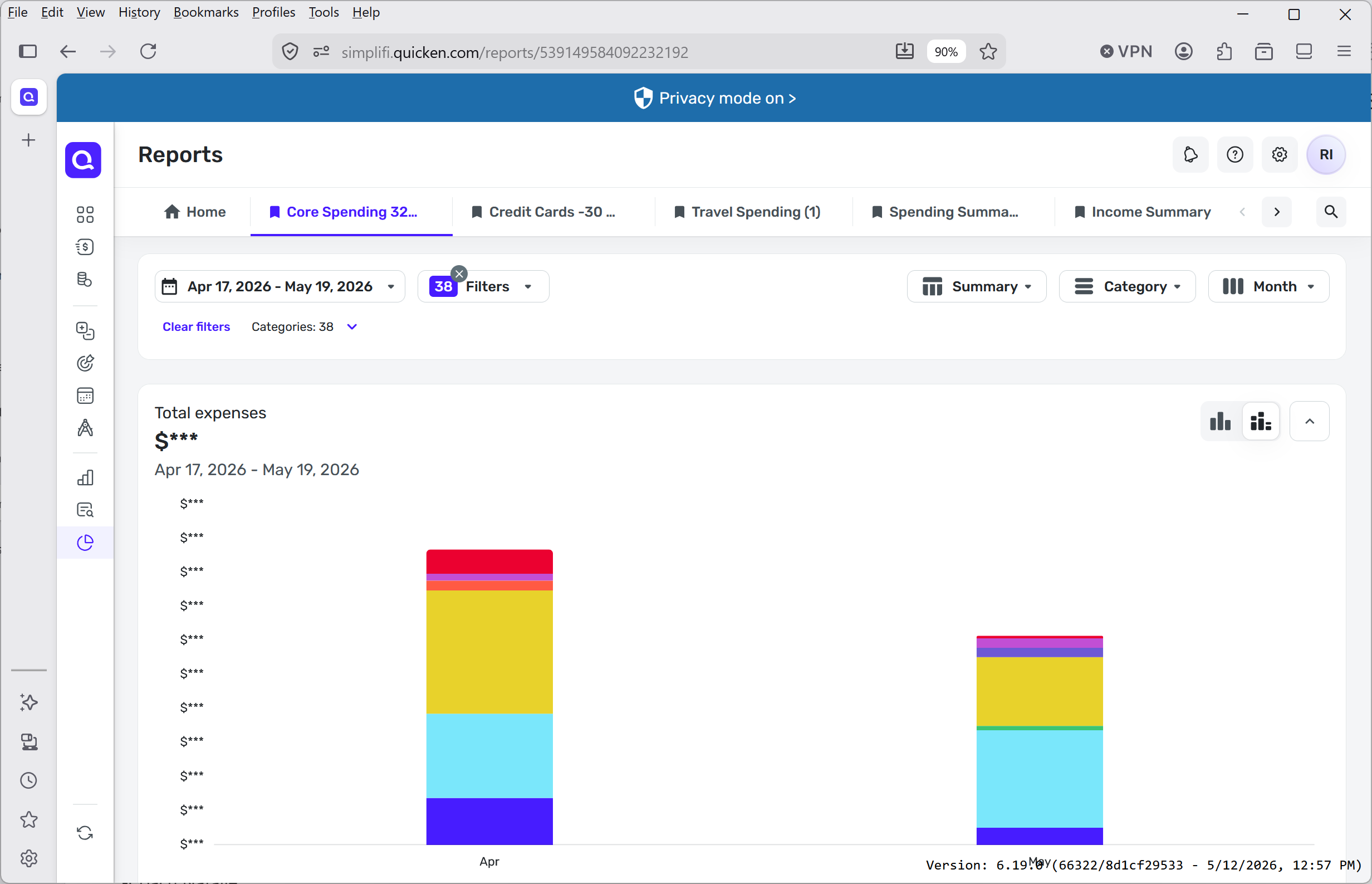
Thanks for taking the time. I think the saved report is persisting correctly. I learned that saved does not pertain to the date feature. The automated time window cutoff to show monthly display was throwing me off. I've played around and learned that only time windows longer than 31 days are considered 'monthly'. I've now chosen a date range of 32 days to give a most recent 'monthly' estimated spend report. (see below). I rollover the report dates manually and re-save as there is no recent 30 day option yet. I may add a feature request for that.
I use this report this to predict what the end of month total will be. I find this report is more accurate than using Watchlists in the early part of the month as it always counts the same time number of days of non-recurring expenses. I may eventually be able to get more used to just working with Spending Plan but for now this gives me the same view as my old Quicken C workflow.
 1
1
