Thrift Savings Plan FDP-102 error (edited)

Haven't been able to connect to my Thrift Savings Plan account for something like 9 days. Tried disconnecting and now it won't reconnect at all. Very frustrating. Need someone to address ASAP.
Additionally, the AI assistant is not helpful. Just say you can't speak to anyone after 5pm PST and be done with it.
Comments
-
I'm also having this issue. I can no longer refresh my Thrift Savings Plan account. My last successful connection was 4 days ago. Each day since I've tried to refresh, am prompted for the MFA code, enter it, but then Simplifi fails to finish connecting, offering a, "Care code: FDP-102" error message. I also tried to reset my connection, but it failed with the same FDP-102 error, so now the account is disconnected. Very frustrating that this hasn't been documented as a known issue yet.
0 -
@Sarah S. & @K37JJ43BR, thanks for reaching out with this issue!
We had a longstanding Alert up for the FDP-102 error, but the corresponding ticket was just closed yesterday, stating that this is a long-term issue on the bank's end, so the Alert was just closed:
It looks like our engineering team is requesting a HAR file session instead. First, however, I'd recommend following these steps to establish a completely fresh connection with the bank, if you have not already done so:
- Make all of the accounts with this bank manual by following the steps here.
- Once you see the account(s) listed in the Manual Accounts section under Settings > Accounts, go back through the Add Account flow to reconnect to the bank.
- If the connection is successful, carefully link the account(s) found to your existing Quicken Simplifi account(s) by following the steps here.
If doing so does not resolve the FDP-102 error, please let us know if you'd like to participate in the session, and I will let you know what we need to request it.
We look forward to hearing back from you both!
-Coach Natalie
0 -
Same issue here with the FDP-102 error. Last successful update was on 5/8.
0 -
@Hackstar18, thank you for joining the discussion!
Please review the information and follow the steps in my last comment, and let us know how things go:
-Coach Natalie
0 -
I’m also having the same experience. Very frustrating and I’m not wanting to manually manage my account or risk disconnecting it. The “workaround” is a bit silly.
0 -
I am getting the FDP-102 issue with TSP again. This happened last year. I do not want to switch to manual because I’m afraid it will lose my history. Is this a problem others are experiencing again?
0 -
@nordwl, to clarify, making the account manual and re-linking it is not considered a workaround. These are standard troubleshooting steps we use to verify whether the issue persists with a completely new connection and with no active connections remaining in the product. While you may need to track the account manually as the connection issue is being investigated, the manual tracking itself would not be considered a workaround.
@kingcon1, your post has been merged with the existing thread for this issue. Please take a look at my comment above for next steps:
Let us know how things go and if either of you would like to participate in the HAR file session!
-Coach Natalie
0 -
FDP-102 error still present, was not able to reconnect after switching to manual account mode. Willing to participate in HAR session if it helps moves this along and fixes the problem
0 -
hi. I would like to participate in the HAR session. Thank you!
0 -
15 days and counting without a connection. This is new error not an “ongoing issue.” Please repair.
0 -
Thank you! We will need the following data to request the session:
- Confirm that the email address and phone number listed on your Quicken Simplifi Account are your best contact info.
- Please provide your general availability over the next few weeks, including your time zone.
- Provide a screenshot of the Accounts Summary page from the bank's website that has a wide enough scope to show the full page URL. This is the landing page after signing in, and typically lists all accounts and balances. You will want to take this from a web browser and not a mobile browser, as well as redact any private info such as account numbers.
Please also submit your logs via the 'Send Feedback' option:
- Log in to the Quicken Simplifi Web App.
- Select the Profile icon in the upper-right corner of the screen.
- With the Profile menu open, hold down the Option key (Mac) or the Alt key (Windows), and then click Send Feedback.
- Leave all boxes checked, add a brief description of the issue, and then click Send.
-Coach Natalie
0 -
Thank you! If you have followed the steps above to establish a fresh connection with the bank and the FDP-102 error persists, please provide the data requested in my last comment:
-Coach Natalie
0 -
- Email and phone number are confirmed valid.
- Generally best available time is weekdays after 3:00PM Central Time. Weekends if possible would be better as I have more flexibility, but week days with enough notice that time works best.
- Image file is below. I'm hoping this is the right page link needed, but if not let me know if there is another one I need to grab instead.
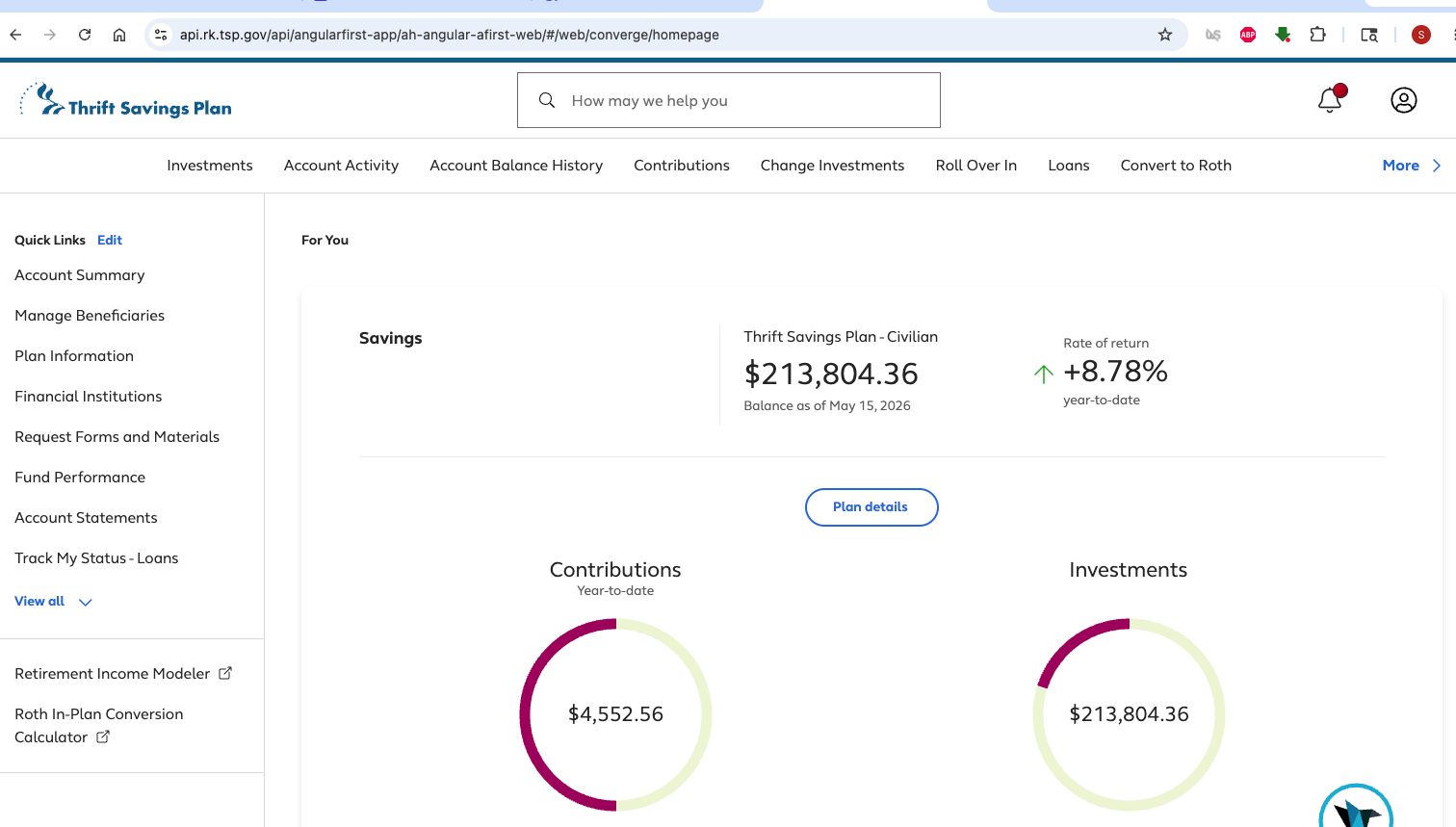
Feedback files and report sent under reference id 539064738103818753. Let me know if anything else needed!
0 -
@Hackstar18, thank you!
I have gotten a ticket filed to request the session, so please be on the lookout for an email from someone here at Quicken. Our engineering team will reach out to set a day and time with you.
If anyone else is willing to participate in a session, let us know, and provide the above-requested info!
CTP-17340
-Coach Natalie
0 -
Well in weird news, just for kicks I did another connection reset just now and it finally reconnected successfully to my TSP account. A bit slower of a connection than before, but balance downloaded with all of the missing transactions and matches what shows when I log into my account through the website.
Did everything get mysteriously fixed in last couple days or just a fluke connection?
0 -
Hi, is there a way to send you this info without posting it here?
0 -
You can send me a DM here in the Community.
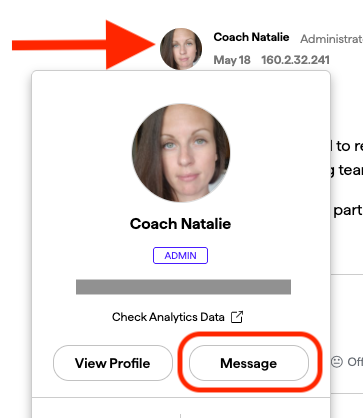
Otherwise, you can contact our Chat/Phone Support team directly for a private interaction and provide them with the ticket number (CTP-17340) and the info to be added to the ticket.
Thank you!
-Coach Natalie
0 -
Was also able to get reconnected today via the Connection Reset (and relink) process.
1 -
@kingcon1, thank you for the DM!
I added you to the ticket, so please keep an eye out for that email in case they need to schedule a session with you.
-Coach Natalie
0 -
It didn't work when I added using OKTA, but worked when adding using SMS
1 -
Unfortunately, I am still having the issue, I followed all steps suggested in this article short of setting up a call with support.
0 -
@AznMark, thanks for joining the discussion!
If you have already tried the steps of making the account manual and re-linking to establish a completely fresh connection with the bank, and the FDP-102 error persists, please provide the requested data from my earlier comment so we can add you to the ticket for this issue:
Much appreciated!
-Coach Natalie
0 -
Yes, I have tried that and still get the error when I try to reconnect/re-link the manual account. I'll send you a PM with those details when I have some spare time, thanks for the quick reply!
1 -
@AznMark, thank you for the DM!
I was just informed that we have enough examples for now, but I will save your info in case they need to schedule a session with you. We will be posting an Alert for this issue shortly that everyone can follow for updates, so I will share that here once available.
Thanks again!
-Coach Natalie
1 -
Hey everyone, please follow our Alert for updates moving forward:
While the issue is being worked on, you can track the account manually by adding manual transactions, which will keep your records up-to-date. Here are the steps to do so:
If the account is an investment account, the manual tracking steps are a little different:
- Make the account manual so you can add and edit Holdings:
- If you have not already added the manual investment account, the steps to do so are here:
- Add/edit your Holdings to keep accurate records: and
Thank you for your patience as we work to resolve this!
-Coach Natalie
0 - Make the account manual so you can add and edit Holdings:
-
New issue now with TSP account this morning, after going through two factor authentication it's throwing an FDP-106 error. Disconnecting the account and attempting to reconnect it just loops back to the same error. Anyone else getting the below now?
Account needs attention
(Care code: FDP-106)
This usually happens if an account nickname or number has changed at your bank. To fix you must reconnect your account.
0 -
Disregard above - I retried a few hours after the above and it's reconnecting now. TSP just has to throw something new out at Simplifi every month I guess 🙃
2 -
Hello everyone,
This issue should now be resolved. Can you all try connecting again and let us know how it goes, please?
Thanks!
-Coach Natalie
0 -
Confirmed here, it has been working as expected for a few days now, thank you Simplifi team!
1
