Some account names changed to the username for the bank (edited)

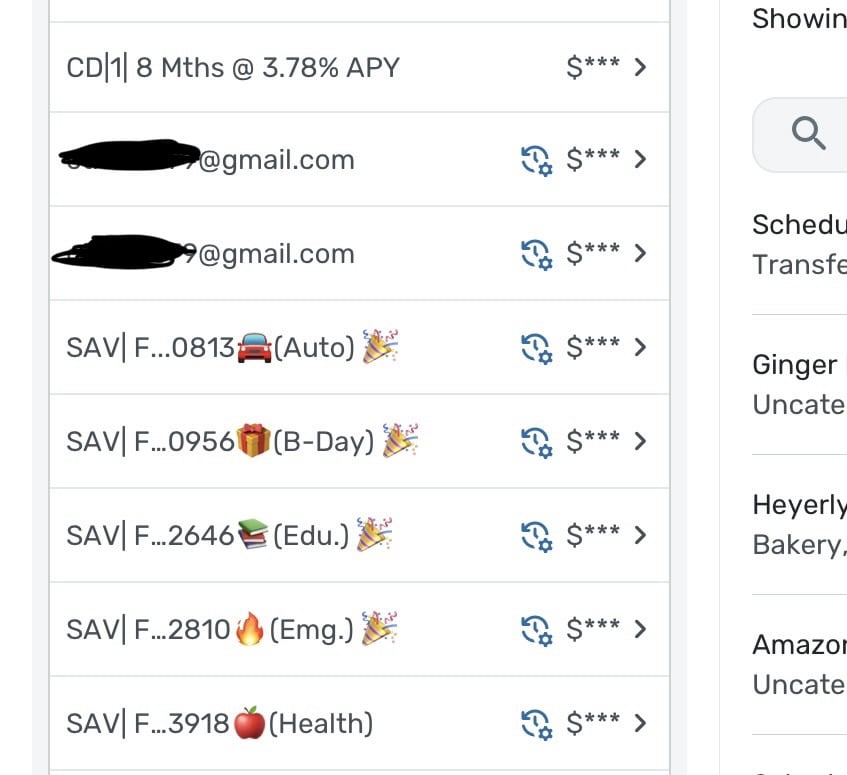
Has anyone else experienced this? It’s new to me. Three of my accounts (1 CHK & 2 SAV) all suddenly their changed their name to the username for the bank. All three are from the same bank (Flagstar), although I have multiple other accounts with that same bank which weren’t changed. All three Account names changed at the same time. The only thing I was doing was tending to individual transactions ona a Windows Laptop in Chrome at the time…not renaming accounts.
Strange.
Chris
Quicken Simplifi user since 2021.
Quicken Desktop user since 2014.
Spreadsheet user since forever.
Comments
-
Hello @Flopbot,
Thanks for reaching out and letting us know! That is certainly a strange bug if the accounts renamed themselves. Are you able to rename the accounts to their original names in Settings > Accounts? You can click the 3-dot menu to the right of an account and select "Edit institution" to rename accounts.
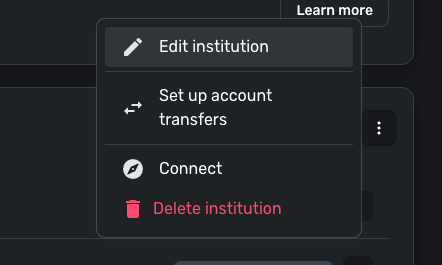
I would definitely check whether you can rename the accounts and whether the names stick after your next refresh. If they do not, be sure to let us know so that we can investigate further.
-Coach Jon
1 -
I renamed all three accounts and Simplifi instantly changed the name of a different account. For this one, I hadn't done anything in the account other than clicking into the transaction register from the side panel's account list from the dashboard, here…
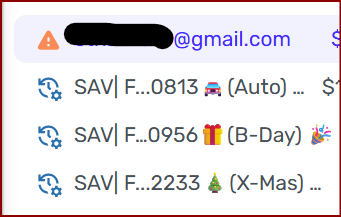
This might be related info. I use LastPass which automatically tries to enter my U into any fields at *https://simplifi.quicken.com/* While I don't truly know how it works, I've always thought that perhaps there was some hidden bit of code that told password managers like LastPass which fields were login-related password fields and which weren't. If that's the case, maybe that bit of code is missing on all the account name fields.
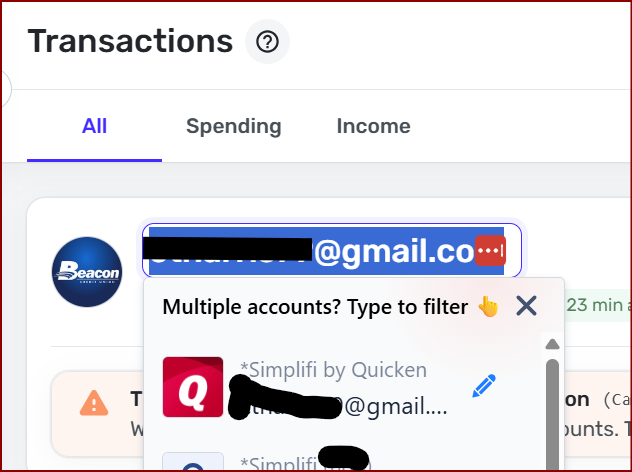
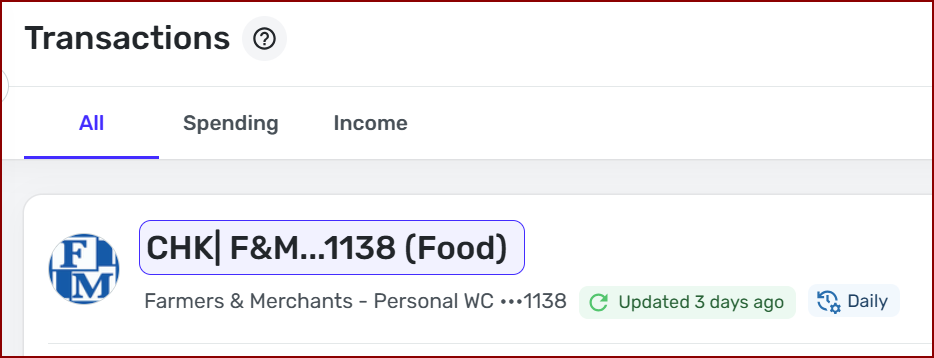
I did notice that I can hover over this account name and if I click it, I can adjust the account name from here.
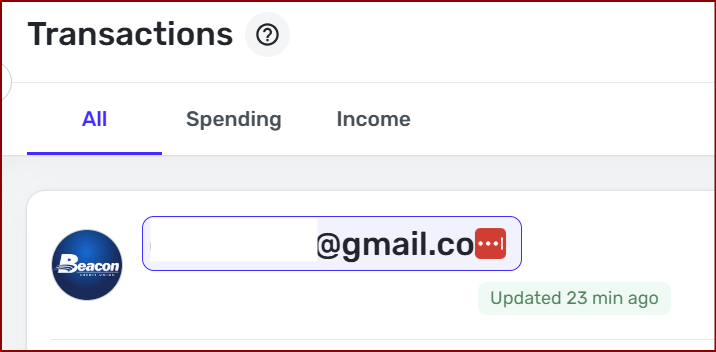
I wonder if It happened like this:
- I clicked into the transaction register.
- The Account Name field was somehow activated without me knowingly clicking it.
- LastPass auto-filled the field.
- Maybe it auto-saved when I clicked somewhere else in Simplifi and the focus left the Account Name field, without clicking enter on the Account Name field.
[Edit - Removed Personal Information]
Chris
Quicken Simplifi user since 2021.
Quicken Desktop user since 2014.
Spreadsheet user since forever.0 -
The LastPass connection is interesting.
A couple of times in the last few days I've had my email address show up in the Search Transactions box at the top of the Transaction Activity list. I think it happened when I automatically returned to that page from editing a transaction.
The idea that LastPass was doing it never occurred to me. But it sounds plausible.
DryHeat
-Quicken Classic (1990-2020), CountAbout (2021-2024), Simplifi (2025-…)1 -
In my bottom two screenshots, the red boxes with the three dots is the symbol for LastPass. It only shows up in fields that LastPass thinks it affect.
Chris
Quicken Simplifi user since 2021.
Quicken Desktop user since 2014.
Spreadsheet user since forever.1 -
The usual LastPass red box didn't appear (as far as I know) when this happened to me. My email just showed up in the "Search transactions" box. This happened twice a couple of days ago and hasn't happened since.
DryHeat
-Quicken Classic (1990-2020), CountAbout (2021-2024), Simplifi (2025-…)0 -
Interesting, I'm noticing that the LastPass icon doesn't consistently get activated in every account name field. So far, I can't pick out any sort of pattern. So far, It's occurred in account types of Checking, Savings, & CD. Although, it doesn't consistently show up in every Savings & CD account.
Chris
Quicken Simplifi user since 2021.
Quicken Desktop user since 2014.
Spreadsheet user since forever.0 -
Oh, and also with it affecting the CD, this is no longer just a Flagstar thing. The CD is with Beacon CU.
Chris
Quicken Simplifi user since 2021.
Quicken Desktop user since 2014.
Spreadsheet user since forever.0 -
@Flopbot, thank you for the additional information here!
Since this may be related to LastPass, I'd recommend confirming so. You can either:
- Use Quicken Simplifi in a different browser that does not have LastPass enabled. This would require that you edit the account names again and then keep track of whether they change again without LastPass factored in.
- Disable LastPass on your primary browser. Again, you would want to edit the account names to correct them and then keep an eye on things without LastPass involved.
If we can confirm that LastPass is the culprit, we'd be happy to inquire further about the next steps. Let us know how things go!
-Coach Natalie
0 -
Turning off LastPass isn't really an option. I rely on it - maybe too much - to remember over 350 unique passwords.
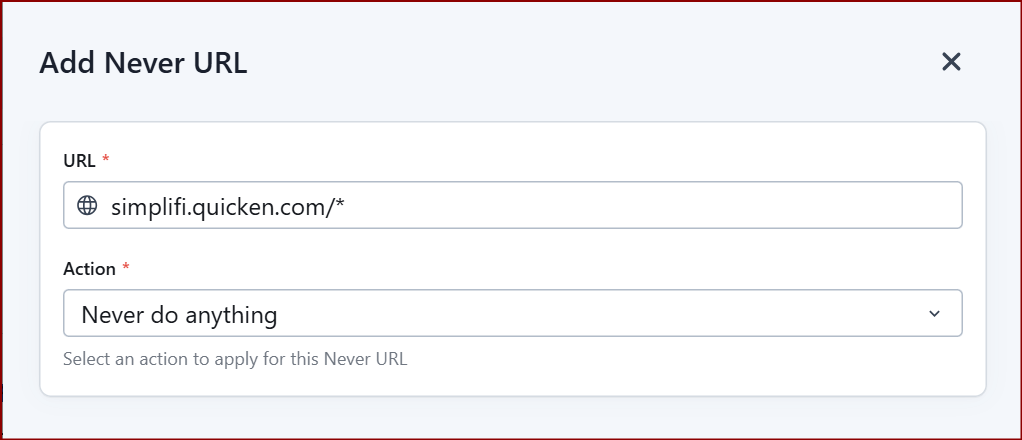
I don't know if this will work long-term, but I created a "Never URL" in LastPass to stop it from filling this field…
This is where it goes…
LastPass > Advanced Options > Autofill Settings > Never URLs
I've seen enough at this point to be pretty sure this is an issue with a , I'm pretty sure there is something to do with some hidden bit of code that tells password managers like LastPass which fields were login-related password fields and which weren't. Maybe these fields are missing that bit of code so password managers like LastPass (and maybe others) don't know to ignore them.
I'll keep an eye on it and let you know if something more happens.
Chris
Quicken Simplifi user since 2021.
Quicken Desktop user since 2014.
Spreadsheet user since forever.0 -
Also, because of problems like this, it doesn't make sense to let the user change the name of the account from the Transaction register. That level of change should really only be available from Settings > Accounts. That would fix the problem too. Even without a password manager, because of that fields location, it's a bit too easy to accidentally hover over/click in/over-ride that account name.
Chris
Quicken Simplifi user since 2021.
Quicken Desktop user since 2014.
Spreadsheet user since forever.1 -
Thank you for the follow-up,
Please let us know if the "add never URL" corrects the issue!
Thank you for sharing this feedback! When I tested, I saw that pending transactions and manual accounts gave me a dropdown I could use to change the account name to another existing account, but it didn't give me the option to fill in names that weren't previously present (using Chrome browser). Which browser were you using? Are you able to make these changes manually, or only when the password manager injects the information?
Thank you!
-Coach Kristina
0 -
When I tested, I saw that pending transactions and manual accounts gave me a dropdown I could use to change the account name to another existing account
FWIW
Pending transactions allow me to do this, but only if they are transfers.
Other types of pending transactions (downloaded as pending from the bank) do not allow me to do this.
DryHeat
-Quicken Classic (1990-2020), CountAbout (2021-2024), Simplifi (2025-…)0 -
I confirm that I can change the account name regardless of whether there is a pending transaction in the Transaction Register or not. In both cases, I can change the account name from the field located in the upper left corner of the Transaction Register and it reflects/spreads throughout Simplifi.
I'll keep watching how the rule in LastPass works over the long-term.
Chris
Quicken Simplifi user since 2021.
Quicken Desktop user since 2014.
Spreadsheet user since forever.1 -
Yes Chris, when you are in a particular account in the transactions register, you can change the name of the account in the account name box.
What I don't understand is how your password manager is changing that. Mac's built-in password manager is only invoked when I am authorizing or reauthorizing downloads, and then it takes me to a different web window to sign in and after that returns me back to the Simplifi web page. So I haven't seen this behavior.
But I use regular QS.
I've followed this thread, and I am at a loss, but it sounds irritating.
Steve
Quicken Simplifi (Safari & iOS) Since 2021
Quicken Classic (MacOS) Since 2009
Dollars & $ense (DOS) and MS Money (Windows) 1987-20090 -
Mea culpa.
I interpreted @Coach Kristina's post as referring to changing the Account for a transaction in the Transaction Activity list — which you sometimes can and sometimes can't do as described in my post.
But I see now that this thread is really about changing the name of the account in the account information header above the Projected Cash Flow and Transaction Activity panels.
DryHeat
-Quicken Classic (1990-2020), CountAbout (2021-2024), Simplifi (2025-…)1 -
Thank you for your replies,
Thank you for confirming!
Thank you for the additional information!
You weren't off-base. I probably could have worded it better. I was trying to confirm if the account name change was happening only from that one section, or if it was also getting changed when in the Transactions screen for all accounts, since that would help determine whether it's a bug or working as intended. It sounds like it's working as intended, and the problem is coming from an unexpected interaction with LastPass.
Thank you!
-Coach Kristina
0




