Notification emails are showing positive balance when simplifi shows negative balance (edited)

Bug 1 is that Quicken updates balances without properly clearing transactions producing an artificial low balance that has been discussed elsewhere.
Bug 2 is that when this occurs, the website shows a negative balance but the warning email SHOWS POSITIVE BALANCE of the same amount.
It takes some detective work between my bank site and Quicken to figure this out manually. I pay for Quicken to figure this out for me. And not tell me I'm overdrawn when I'm not (Bug 1). But at least be internally consistent.

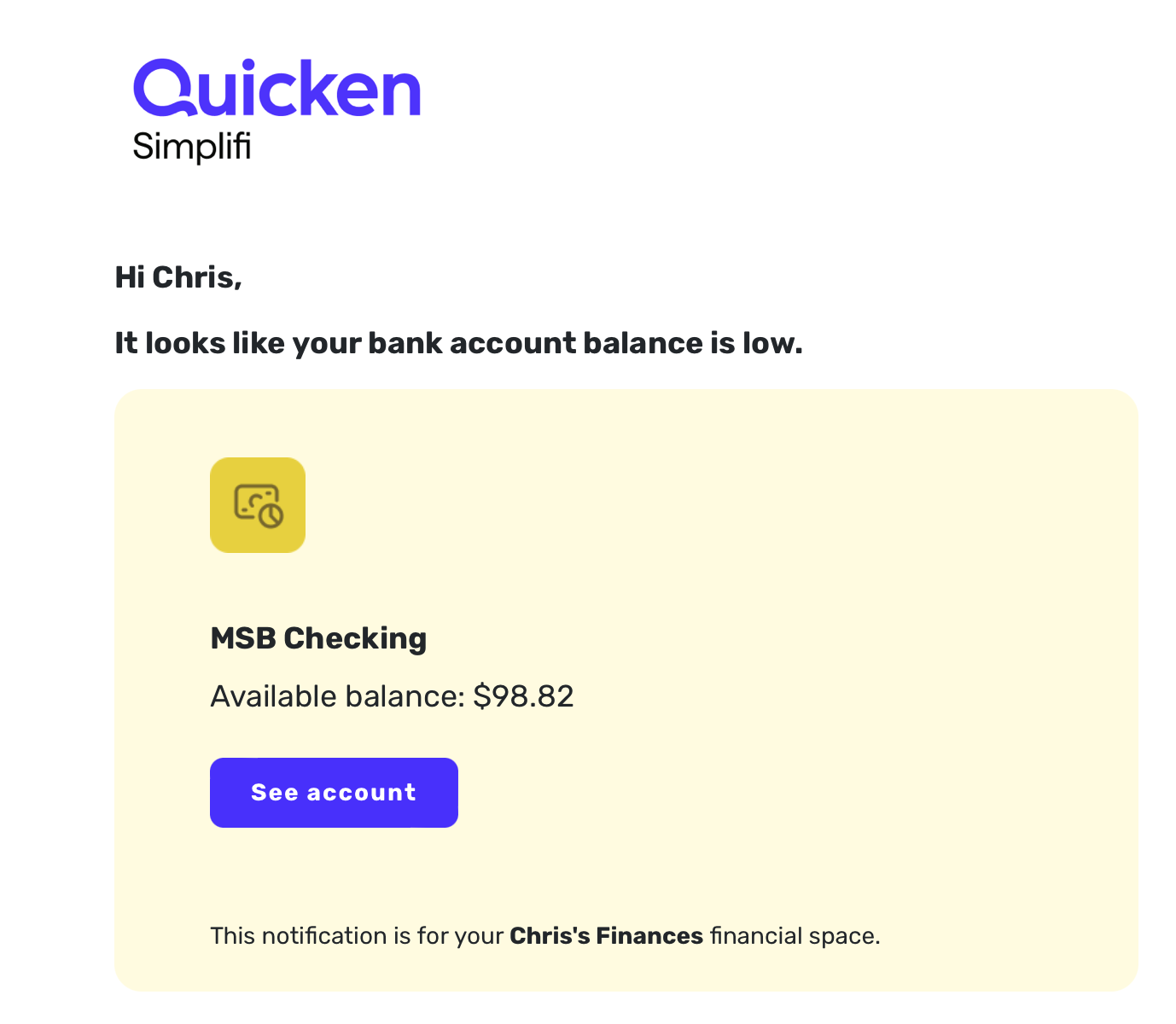
[edited title for clarity]
Comments
-
Hello @ChrisWT314,
Thank you for reaching out and for providing screenshots that show the issue from your end! I am not seeing this from my end, unfortunately. Can you verify whether disabling the "Low bank account balance" notification, signing out and back in, and then re-enabling the notification resolves this issue for you, where the incorrect balance appears in the email?

Let us know how this goes!
-Coach Jon
0 -
I followed those steps, then set a bank-cleared transaction back to pending in order to trigger the condition. We will see.
I'll report back, and after that my hourly rate for software testing is $300USD :-) 1
1 -
now it's not giving me emails at all as of this morning. And it didn't match a $960 check. I'll go through and manually re-clear stuff now.
 0
0 -
Hello @ChrisWT314,
If you are not receiving notifications at all anymore, I would be sure to check Settings > Notifications to see if they are paused. Thank you for the update!
-Coach Jon
0 -
I did turn them back on prior to this. After I cleared everything, I did properly receive a low balance alert when my Quicken balance was below the threshold but still positive and it was positive. Will try to flag it if it happens again.
1 -
@Coach Jon
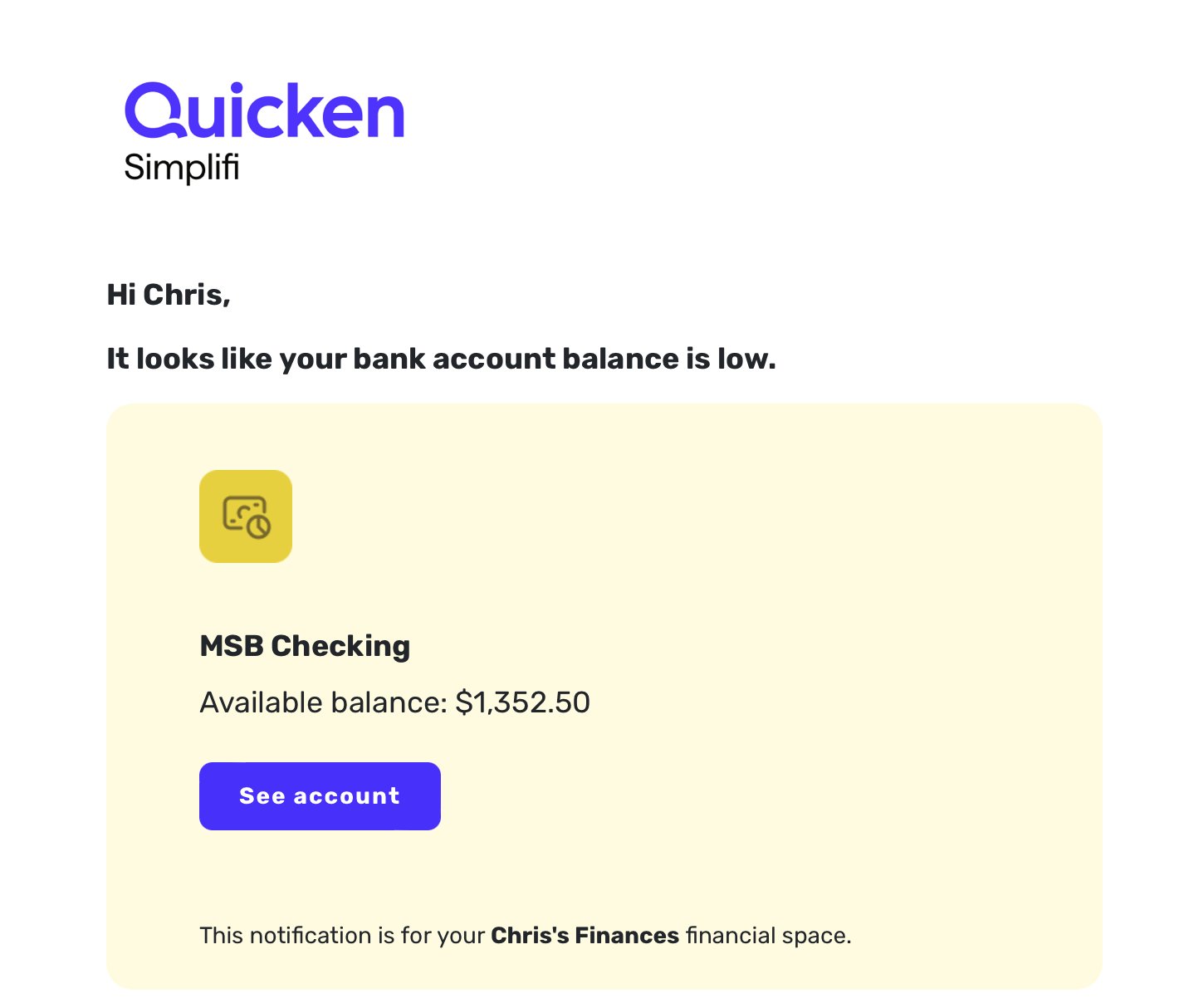
It happened again - positive balance in warning email, negative balance on website, wrong because it didn't yet have the transaction to match against a pending item. The greater negative balance is because I added a $400 check after the notification was sent.
 0
0 -
Hello @ChrisWT314,
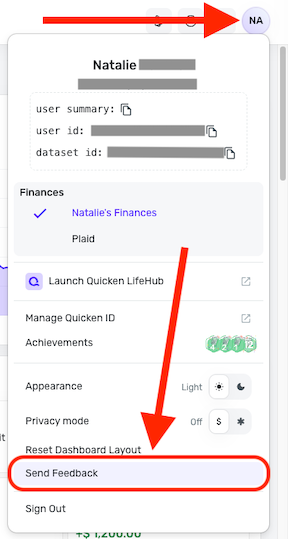
Thanks for the update! Please submit your logs via the 'Send Feedback' option:
- Log in to the Quicken Simplifi Web App.
- Select the Profile icon in the upper-right corner of the screen.
- With the Profile menu open, hold down the Option key (Mac) or the Alt key (Windows), and then click Send Feedback.
- Leave all boxes checked, add a brief description of the issue, and then click Send.
Once we receive this information, we should be able to work on figuring out what specifically is occurring here.
-Coach Jon
1 -
Report created - reference id 539051469876592640
0 -
@Coach Jon Please let me know when it's OK to clear my transactions manually so I can have a true balance again. If I don't hear otherwise I'll do it tomorrow morning Eastern time.
0 -
Hello @ChrisWT314,
Thank you for the logs! You should be okay to do that. For further clarification on this issue, if you have a negative balance, does the notification email you receive still show a positive balance? Or is it also reversed, as in the case of the negative balance in Quicken Simplifi showing a positive-balance notification email?
-Coach Jon
1 -
All emails are positive, regardless of the low positive or negative balance in the web app. Emails are "absolute value" :-)
0 -
Hello @ChrisWT314,
Thank you for confirming! I have reported this issue to our product team and will follow up with further updates here as they work on a resolution.
SIMPL-33696
-Coach Jon
1 -
one more hint - my iOS notification also showed a positive balance where it should have been negative
0 -
Note I also see this same behavior (always have but have not bothered to report it, until I overdrew because I started ignoring the emails since they are always wrong…)
for instance I got an email stating my projected low balance was 725.06 when looking at the cash flow it should have been -1265 or so….
again this has been the case since day 1. The emails were NEVER correct.
0 -
@flintster_99, thanks for joining the discussion!
It sounds like you are experiencing a different issue than what's been reported here. The issue reported here was inverse signage — the balance in Quicken Simplifi is negative, but the notification is positive, even though the dollar amounts are the same.
If you are experiencing a different amount in general, I'd recommend creating a separate post so the proper troubleshooting can ensue:
Otherwise, if inverse signage is the issue you're seeing, please follow along here for updates, as that issue was already escalated.
I hope this helps!
-Coach Natalie
0 -
@Coach Natalie It could be the same root cause - that the balance is not in sync with the transactions so it looks off - see bug 1 in my original post.
0

