Marking a reminder "paid" and then changing the date to the future makes the transaction disappear
I am paying my credit card bills today, Feb 15, 2026. When I enter a transaction for a payment scheduled for March 1st, 2026 the transaction is totally hidden
- it is not shown as a reminder in the reminder carosel
- It is not show as a pending transaction in the Transaction activity
- The impact of the transaction is not shown in either the balance or the projected Cash Flow
This leaves me in the situation where I have to manually calculate how much money I have left to pay other bills as there is no place to see.
I do not really understand the concept of not showing ALL tranaction activity in the Transaction Activity page regarless of date. That is reality
[edited title]
Comments
-
Let me expand on how I got to this point. I have a reminder for my credit card payments. I selected the payment that I wanted to make an clicked the three vertical dots. I then selected "Mark As Paid" which creates a transaction for me. However this transaction is dated for today. The payment is scheduled for March 2nd, the due date. The reason for not scheduling for today is I need the next paycheck deposited at the end of the month. To have the simplify transaction match reality I edited the transaction, added a confirmation number, and changed the date to March 2nd from Feb 15th.
When I save this is when the transaction disappears from all views and impact.1 -
Yep, if you mark a reminder as paid and future date it, it will disappear from the Carousel and not show up in the Cash flow chart. You can find it though in the Spending Plan as well as in Bills & Income.
@EL1234 and I discovered this before. It seems to be a bug. The workaround is to delete the transaction and then recreate it and then link it to the Reminder. Marking it as Paid only works right if you keep the date as today. It will though sooner or later show back up if you leave it alone.
You can read about it here:
Steve
Quicken Simplifi (Safari & iOS) Since 2021
Quicken Classic (MacOS) Since 2009
Dollars & $ense (DOS) and MS Money (Windows) 1987-20090 -
It's quite annoying for those of us who use the Cash Flow Projection feature. I hope they can fix it asap!
Has anyone submitted a bug report for it yet?
0 -
@EL1234 I think this is a bug report.
We should have done it last week but I wasn't sure this was a live feature. It appears it went live to everyone and was never in Early Access. They did fix it right away to use today's date instead of the date on the reminder.
It is a mystery why it becomes a future reminder correctly but doesn't show up in the carousel or the cash flow graph.
Steve
Quicken Simplifi (Safari & iOS) Since 2021
Quicken Classic (MacOS) Since 2009
Dollars & $ense (DOS) and MS Money (Windows) 1987-20090 -
What's weird is that I entered a transfer transaction yesterday with a date in the future, and both sides do show in the reminders carousel. So it's not an issue every single time.
0 -
Good grief. I've tested various times and it has never gone into the Carousel. I hope the coaches will look into this.
Steve
Quicken Simplifi (Safari & iOS) Since 2021
Quicken Classic (MacOS) Since 2009
Dollars & $ense (DOS) and MS Money (Windows) 1987-20090 -
Unless they fixed it yesterday! Who knows…
0 -
LOL. Nope, I just tested it again. It seems that when it becomes a transaction, it doesn't really seem to change to a true transaction. Because there is no option to delink it from the recurring. All you can do is edit the series or delete it, which deletes that instance. I have to go to the next month, edit the series and then start it again for this month.
It's not designed for entering transaction and future dating it.
Edit:
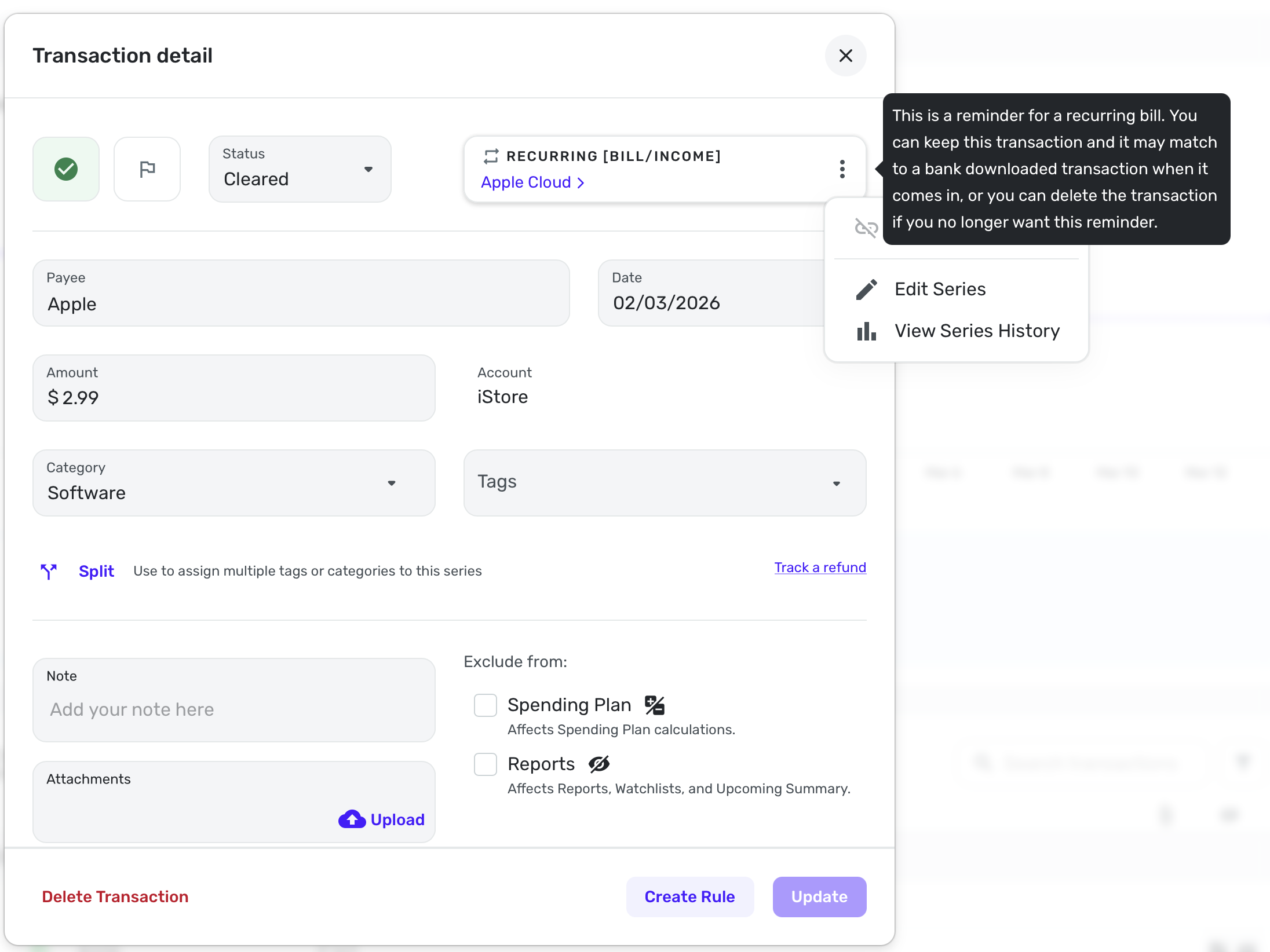
Yep, it is a weird hybrid. I went back to my manual account where I marked as paid an Apple transaction for Apple Cloud. Even after two weeks, I can only delete it. I cannot delink it as it didn't actually create a transaction and link it. I hope this makes sense.
As you can see, it may match to a downloaded transaction, but this one won't because it's a manual account.
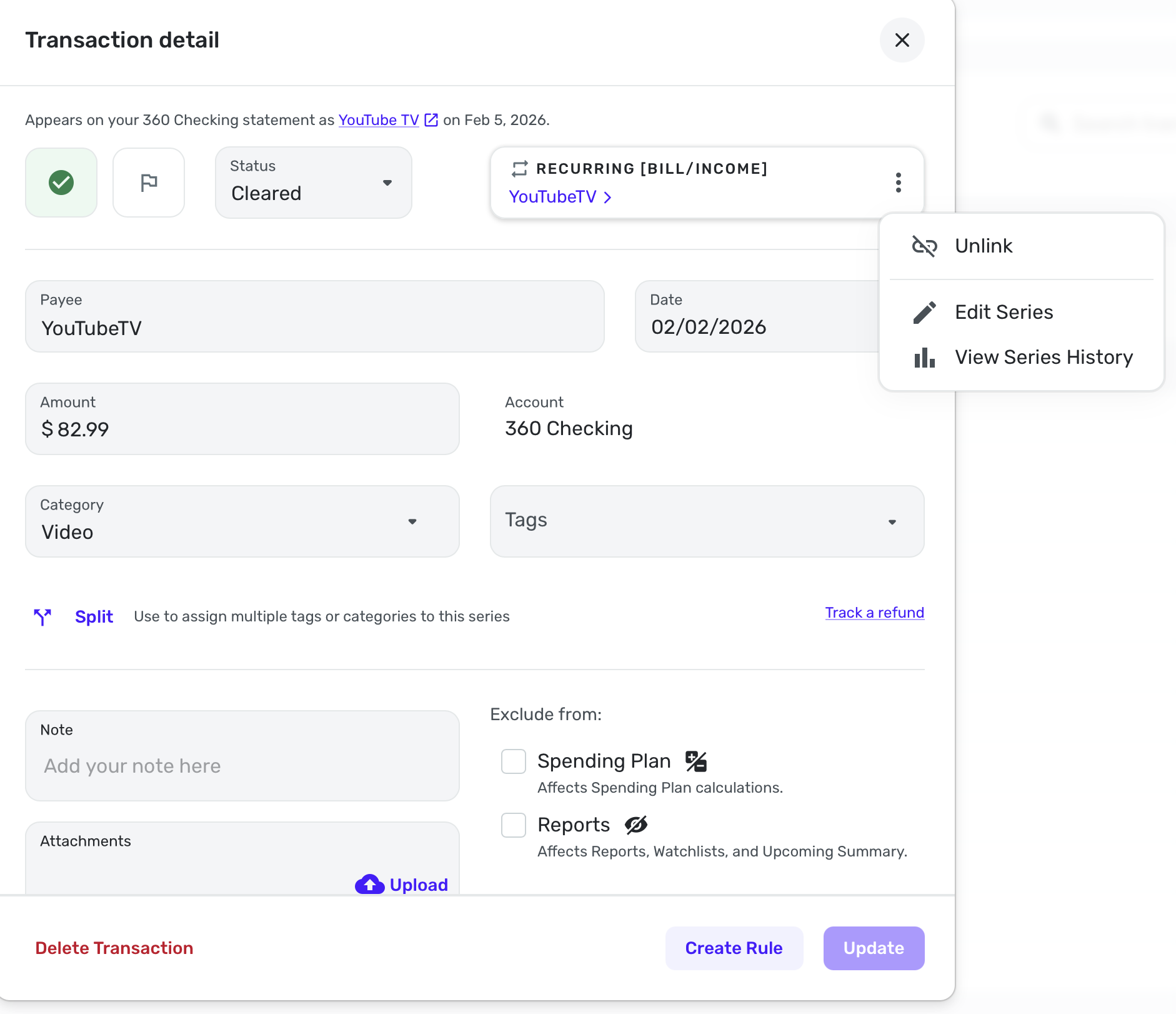
Now here is one I marked as paid around the same time in a connected account. As you can see, it linked and can be delinked.
So until it's truly linked to a transaction, moving it to a future date will put it back in limbo.
Steve
Quicken Simplifi (Safari & iOS) Since 2021
Quicken Classic (MacOS) Since 2009
Dollars & $ense (DOS) and MS Money (Windows) 1987-20090 -
Wow! Can you submit a bug report for that?
0 -
@EL1234 This is a bug report made by @ritaylor. We're just expanding on it.
Oh, and I just took my transaction that was linked and moved it to tomorrow and it disappeared as well. So it doesn't matter if it is gets linked to a real transaction, if you move it to a future date, it isn't going to move to the carousel, at least not for me.
Steve
Quicken Simplifi (Safari & iOS) Since 2021
Quicken Classic (MacOS) Since 2009
Dollars & $ense (DOS) and MS Money (Windows) 1987-20090 -
Ah got it. Do we also need to chat with support, or is this enough to get it looked at? Usually they ask for all sorts of logs and screenshots.
0 -
It wouldn't hurt if you want to chat with Support.
Steve
Quicken Simplifi (Safari & iOS) Since 2021
Quicken Classic (MacOS) Since 2009
Dollars & $ense (DOS) and MS Money (Windows) 1987-20090 -
When I can replicate it again :D
0 -
Hello everyone,
Our product team has confirmed that, when editing a transaction created by marking a reminder as "paid" to a future date, it should reappear in the reminder carousel as an upcoming item. They will file a ticket to get this fixed. In the meantime, the item can be located in the Spending Plan.
Thank you all for your patience as we work to resolve this matter!
-Coach Natalie
2 -
Thank you @Coach Natalie!
Steve
Quicken Simplifi (Safari & iOS) Since 2021
Quicken Classic (MacOS) Since 2009
Dollars & $ense (DOS) and MS Money (Windows) 1987-20091 -
This was reported and acknowledged in late 2024, and it's now June 2026 and it is still listed as a known problem. I'm very surprised as I see it as a really big flaw. If you enter a transaction into a checking register with a future date, it goes into reminders which is fine. No problem with that. And it does show up in the Bills + Income tab and in the spending plan. However, that payment is NOT reflected in the projected cash flow which is absolutely NOT alright. Nor is listed in the banner of upcoming reminders on the register page! For example, say I received an email for a one time $6000 bill due at the end of the month. I go to the biller's website and schedule that pmt for the due date, enter it into Simplifi, archive the email, and mark it off my to do list. It is essential that I see that $6000 coming out of the projected cash flow and listed in the scrolling reminders on the register page!! Most months I have many such scheduled payments for non-recurring bills. I need to be reminded that they have been paid and see them in the cash flow. It's not reasonable to try to keep up with them in my head nor practical to keep a separate list of them so I can manually subtract them from the projected balance to know my actual future bank balance! It makes the projected balance in Simplifi kind of worthless and could cause people to overdraft their account. I really hope this will get bumped to higher priority. Thanks.
0 -
@msanders93, thanks for taking the time to share your experience with the Community!
It sounds like you may be experiencing what was reported here:
Although that thread specifies editing an existing transaction to a future date, it sounds like some users may also see the issue when simply entering a future-dated transaction. To be sure, do you see the dot in the projected cash flow graph, just not the reminder, as mentioned in the other thread?
Let us know!
-Coach Natalie
0 -
No there is not a dot in the cash flow.
I just entered another one and had the same thing happen. I ran payroll today. The payroll liablilities are due on the 15th of the following month (7/15). After running the payroll, I always go immediately to EFTPS and schedule the liabilities to be paid on their due date. In Simplifii I have this as a recurring reminder which shows up in reminders and in the projected cash flow graphs. As soon as I select "Mark as Paid" from the 3 dots on the reminder, it changes the date and enters it as paid today. I changed that date back to 7/15 because that is when the money will draft from my bank account. Simplifi warns me that entering a future date will create a reminder that can be seen in any of the reminder bins. But that is not what happens. The reminder disappears from the register reminders banner and the dot on the cash flow graph disappears. Under Bills and Income, Cash Flow Tab, it is also missing in the graph (and projected balance) but it does show up in the vertical reminder list there. Thanks.
0 -
@msanders93, thanks for confirming the issue is happening after using "Mark as Paid" and then changing the date to a future date.
To clarify, "Mark as Paid" is a new feature, so this is not an issue that would have started in 2024. At any rate, I found the existing topic for this issue and the ticket that was filed, so I merged your post here. We will post back here with updates as work on the ticket progresses.
I hope this helps!
SIMPL-32041
-Coach Natalie
0 -
Thank you! There is a post in "Known Product Issues" that seemed similar but now that I have been digging deeper into this, I see it is not the same issue. I guess that was what I was referring to. As you said the "Mark as Paid" is new. But, the "Mark as Paid" in itself did not make it disappear. It disappeared when I edited the date back to 7/15 after "Mark as Paid" changed it to today. Thank you so much for your help!
3 -
Another tidbit to add to this: Pending transactions missing in cash flow graph > My husband walked in and said he wrote a check on the company account and gave me the check number and amount. I entered in the Simplifi register with today's date and now it is listed in pending transactions of the register as it should be, but it is not reflected anywhere in the cash flow. Today's balance and the projected balance for this account are way off due to all these missing transactions! Good thing I am simultaneously using Quicken Classic Business & Personal so I can keep up with the bank balance and the transactions!
0 -
This sounds like a different issue. You'd want to post about other issues by creating individual posts for each one, so proper troubleshooting can take place, and the Community stays organized.
Thanks!
-Coach Natalie
0 -
I figure out the last one about pending. There is a toggle on the sideboard in the dashboard to use balance with pending or bank balance. Changing that to balance with pending makes the pending transactions show up on the cash flow graph. Still doesn't fix the issue with the Marked as Paid future dated transactions though. Those are still missing. Thanks
-1